The best project management software gives small teams one place to assign work, monitor deadlines, track time, and keep projects moving. For UK businesses managing client work, payroll inputs, and limited capacity, the right system should reduce manual updates without adding unnecessary administration. This guide compares five project management tools for small UK teams and explains the features, pricing, and selection criteria that matter before you commit.
Table of Contents
- Key Facts
- What is Project Management Software?
- How Does Project Management Software Benefit Small Teams?
- What Is the Best Project Management Software for Small Teams?
- Digitise your Project Management with Factorial
Key Facts
- The best project management software for small teams combines task ownership, deadlines, shared project views, and reporting without creating extra admin.
- The Department for Business and Trade counted 5.64 million UK small businesses with 0 to 49 employees at the start of 2025, making practical, low-admin tools relevant to a large share of the market.
- In the Department for Business and Trade’s 2025 SME research, 32% of businesses said software was too expensive, so total cost should include paid seats, add-ons, training, and implementation time.
- The same Department for Business and Trade research found that 40% of SMEs said digital technology saved time for other work, making time tracking and automated project updates useful selection criteria.

What is Project Management Software?
Project management software is a digital system for planning, assigning, monitoring, and delivering work. It brings tasks, deadlines, project files, workload information, and progress updates into one shared workspace so teams can see who owns each action and what could delay delivery.
The core functions of project management software include:
What are five project management tools? The five tools compared in this guide are Factorial, Asana, Trello, ClickUp, and. They all support shared tasks and project visibility, but their reporting depth, automation, time tracking, and pricing models differ.
- Planning: establishing project scope, setting objectives, and creating schedules.
- Assigning tasks based on availability and skills.
- Communication tools: instant messaging eliminates lengthy email chains and keeps all team members informed.
- File and resource sharing ensure employees have access to the necessary information to perform their job duties.
- Time tracking tools enable teams to monitor the time spent on specific projects.
- Cost control: having all project information in one place enables project managers to track costs against the budget and identify any issues early.
- Reporting tools include visual dashboards, such as Kanban boards or Gantt charts, as well as the ability to create detailed reports for circulation to key stakeholders.
- Risk mitigation: the software alerts teams to any potential risks to the project, enabling them to take action and address issues before they escalate.
Can Small Teams Do Project Management?
Small teams absolutely should use project management software. Small teams often have limited resources, which means that software that helps them allocate those resources efficiently can make a significant impact on productivity. Using software can reduce the time spent on administrative tasks, freeing up small teams to focus on the more strategic aspects of their work. Project management software also enhances visibility and builds clear accountability within the team, providing a solid foundation for any small business aiming to scale quickly.
Small teams can manage projects effectively when every task has a named owner, a due date, and a visible status. The Department for Business and Trade found that 37% of SMEs ranked ease of use as their most important factor when selecting technology, ahead of cost at 17% and compatibility at 15%.
How Does Project Management Software Benefit Small Teams?
We’ve already touched on how project management software can support your business. It can also be helpful to think about how that support can directly benefit your team to meet its business objectives.
- Efficient organisation and resource management: software supports robust resource planning by centralising all tasks, documents, and deadlines for each project into one place. In doing so, there is a reduced risk of losing essential information and it is easier to assign tasks and track progress.
- Improved collaboration: Utilising project management software enables all team members to access the same resources, view the same conversations, and provide updates to one another in a single location. Keeping the whole team on the same page reduces back-and-forth between individual team members. It enhances understanding, develops knowledge, and improves teamwork.
- Cost savings: software can reduce the time (and therefore cost) spent on administrative tasks, including chasing people, updating spreadsheets, and sharing resources. By supporting teams in prioritising their work and setting realistic timeframes, the software helps teams allocate resources effectively and avoid waste.
- Supports employee well-being: software that provides a clear indication of everyone’s workload can be used to encourage accountability for the whole team and prevent over scheduling and burnout, which can lead to issues in meeting project deadlines. Specific tools, such as Gantt charts and Kanban boards, play a direct role in clarifying the distribution of work between individuals.
- Ready for growth: using project management software creates a strong foundation for a small team in terms of collaboration, visibility and standardised workflows, which can then support more complex projects as the business grows.
- Remote-friendly: project management software is typically available in the cloud, making it a suitable option for hybrid teams working in different locations, making good collaboration and clear accountability even more essential.
For small UK businesses, implementation matters as much as feature depth. The Department for Business and Trade found that 54% of SMEs said choosing technology was easy, while 15% found it difficult. Per Assets, test the workflow with real projects before migrating every board, file, and process.
What Is the Best Project Management Software for Small Teams?
Having explored the benefits of project management software, we will now take a look at the best project management software for small businesses. Before we examine each of the five options, here’s a quick comparison chart to help you easily understand what each platform offers.
| Platform | Best for | Kanban View | Highlight | Price (per user per month) |
| Factorial | All-in-one business management | ✅ | Project management, payroll, plus HR tools in one platform | From £5.40 per user per month |
| Asana | Task management, especially recurring tasks | ✅ | Easy to automate, good templates | Free for up to 2 users. Starter is $10.99 per user per month when billed annually |
| Trello | Visual workflows | ✅ | Easy to use kanban boards | Free for up to 10 collaborators per Workspace. Standard is $5 per user per month when billed annually |
| ClickUp | Customising workflows | ✅ | Flexible dashboards and real-time collaboration tools | Free plan available. Core is $12 per user per month when billed annually, and Business is $25 |
| Monday.com | Collaboration between teams | ✅ | Visual dashboards | Free plan available for up to 2 seats. Basic is $9, Standard is $12, and Pro is $19 per seat per month when billed annually |
How should small teams choose project management software?
| Criterion | What to check |
|---|---|
| Team workflow | Task ownership, recurring work, approvals, dependencies, and project views. |
| Capacity | Time tracking, workload visibility, and resource allocation. |
| Total cost | Annual seat price, required add-ons, implementation, and training. |
| Adoption | Whether the team can use the system confidently within its first month. |
The Office for National Statistics reported that 25% of UK businesses were using AI in late December 2025. As noted by Backup, when comparing tools, check whether AI actions are included in the plan, limited by credits, or charged separately.
1. Factorial
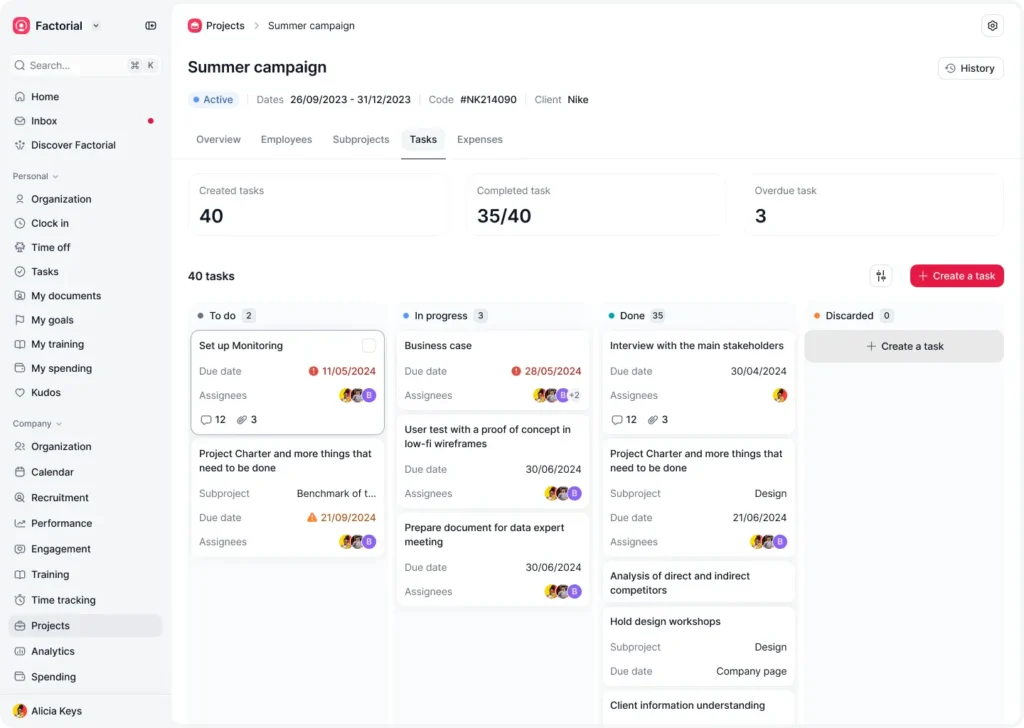 Factorial is a comprehensive, all-in-one business management system that supports small teams in their project management requirements, while also providing tools to help with various other HR functions, such as payroll and expenses, performance management, and learning and development. The platform includes modules for tracking projects and goals as well as time, leave and shift management.
Its project management module provides small teams in the UK with the right tools to stay in sync and meet project deadlines. You can create invoices directly from your projects where your clients information will be autofilled, eliminating repetitive manual data entry. Additionally, your team can track how many hours they’ve spent on each project making it easier to calculate costs and productivity.
Key features of Factorial for project management:
- Scheduling and monitoring tools for resource allocation.
- Visual boards (kanban) and project dashboards for visual representation of the project.
- Modules to track time and automate payroll linked to project tasks.
- Customisable workflows and alerts.
- Integrated HR modules (time off, shift scheduling, performance).
Pros
- Integrates project management with HR and payroll for a smooth experience for both managers and employees.
- Provides detailed data insights for specific projects.
- The platform is designed to scale as a business grows.
Cons
- Factorial provides an in-depth, comprehensive tool which can be more complex than what very small teams require.
- Developed as an HR platform first then a project management module was added.
Price
- From £5.40 per user per month.
Want see more of Factorial?
- Automate your workflows
- Save time & effort
- Centralise HR & finance with one platform

2. Asana
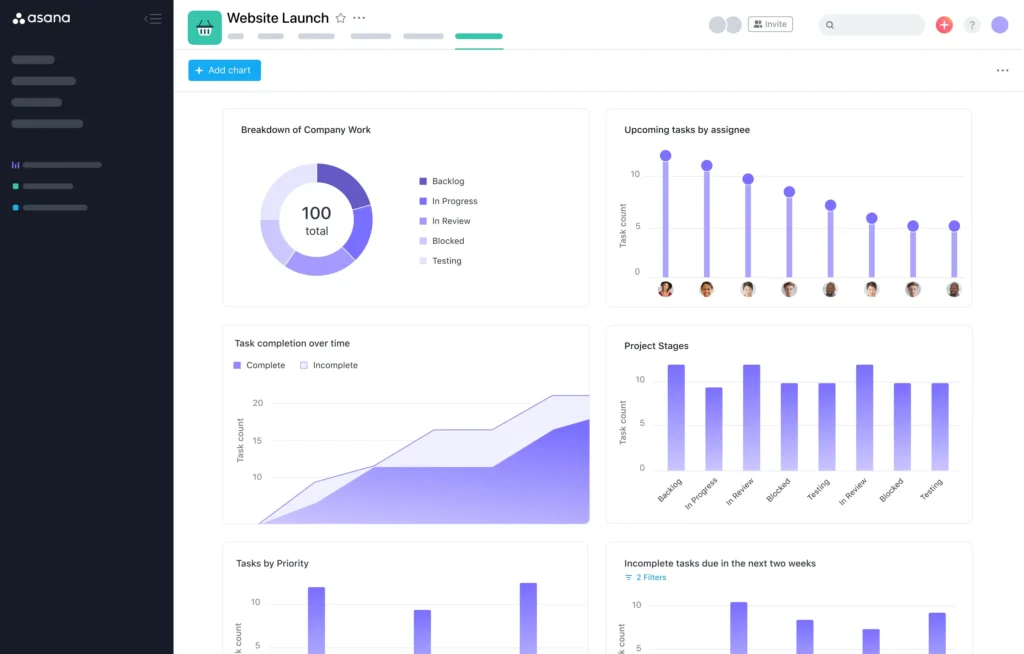
Asana is a well-known and popular tool for task and workflow management, particularly among small teams that use the free version. It is a robust platform for planning and tracking projects, ensuring clarity of objectives and transparency over responsibilities, and supporting effective communication between team members through the ability to provide instant updates directly within the platform.
Key features of Asana for project management:
- Goal setting and tracking.
- Ability to organise tasks by different views, including lists, timeline view and boards.
- Automation of workflows and processes.
- Includes an AI studio with a suite of customisable tools.
- Integrations with other popular tools like Slack, Teams and Google Workspace.
Pros
- Easy-to-use interface requires limited onboarding.
- Strong options for teams with recurring tasks and regular workflows.
Cons
- The free plan is limited in terms of reporting features.
- Very small teams can find the features overwhelming.
Price
- Free ‘personal’ plan for up to 10 users.
- Custom pricing for ‘Enterprise’
3. Trello
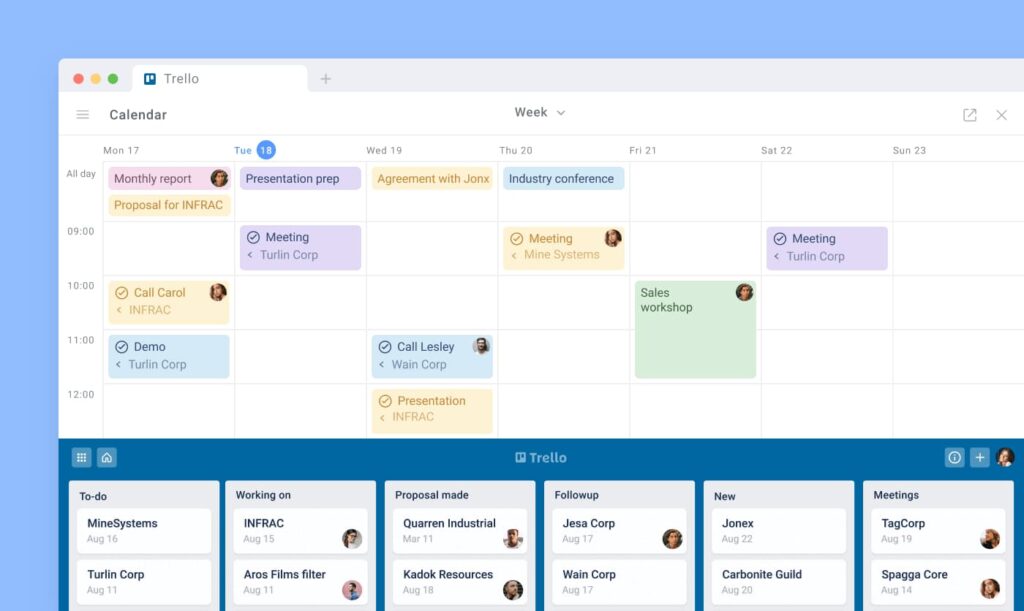
Trello is a simple, kanban-first project management tool, which is excellent for visual task management and can also be a helpful tool for organising creative work, such as editorial calendars or brainstorms. Users create a ‘board’ for their project and then ‘cards’ within the board for the different tasks required. The cards hold information and move flexibly between different lists within the board, depending on which stage of the workflow they are in.
Key features of Trello for project management:
- Easy-to-use kanban boards with drag-and-drop cards provide a clear visual overview of projects.
- The flexible system allows you to organise tasks by workflow stage or category.
- Supports collaboration via comments and sharing options.
- Integrates easily with other productivity tools, such as Slack, Google Drive, and Microsoft Outlook.
Pros
- Intuitive and easy for teams to adopt quickly.
- Affordable pricing for small teams.
Cons
- Lacks advanced reporting.
- Limited scalability compared to other platforms.
Price
- Price in dollars.
- A free plan is available for up to 10 boards.
- Standard costs $5 per user per month when billed annually, Premium costs $10, and Enterprise starts at $17.50
4. ClickUp
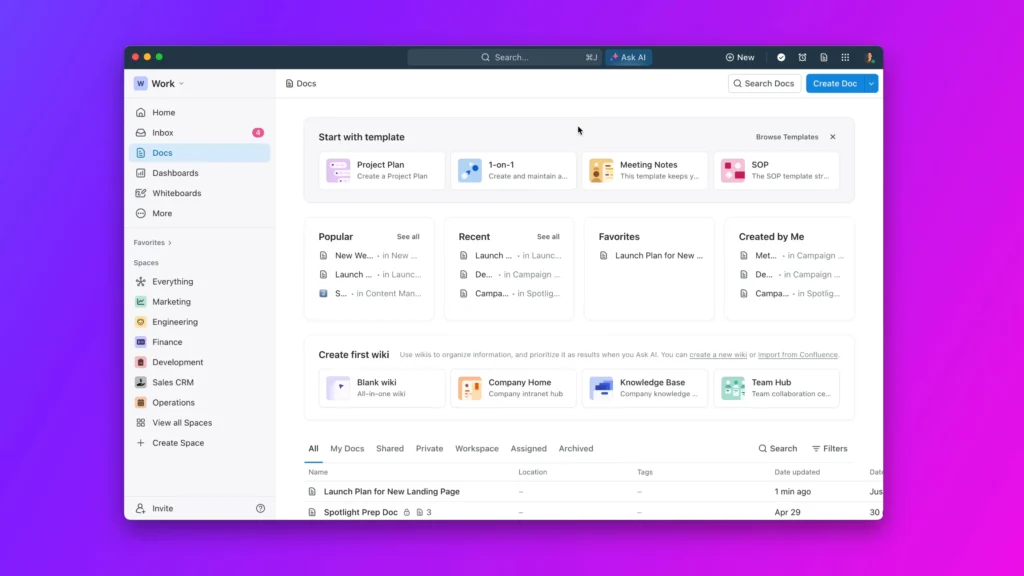
ClickUp is a comprehensive system that supports project management, product development, knowledge management, resource allocation, workflows and collaboration. While centralising all the underlying information required for a project, the platform also offers a workspace which is easy to customise and highly flexible so it can be tailored specifically to an individual team’s requirements. ClickUp is a good option for teams who want to centralise their work but give teams within the business their own autonomy.
The key features of ClickUp for project management include:
- Multiple methods to view projects including kanban boards, Gantt charts, lists, calendars and documents.
- Tools to support teamwork including real-time editing of documents and built-in chat.
- Custom dashboards for reports and insights.
- Whiteboards and documents for idea generation within the platform.
Pros
- Strong collaboration tools.
- Free option is more generous with features compared to others.
Cons
- Steeper learning curve than some platforms due to large number of options.
- The mobile app less intuitive than the web version.
Price
- ‘Free Forever’ plan for basic requirements
- Core costs $12 per user per month when billed annually, and Business costs $25
- Custom pricing for Enterprise version
5. Monday.com
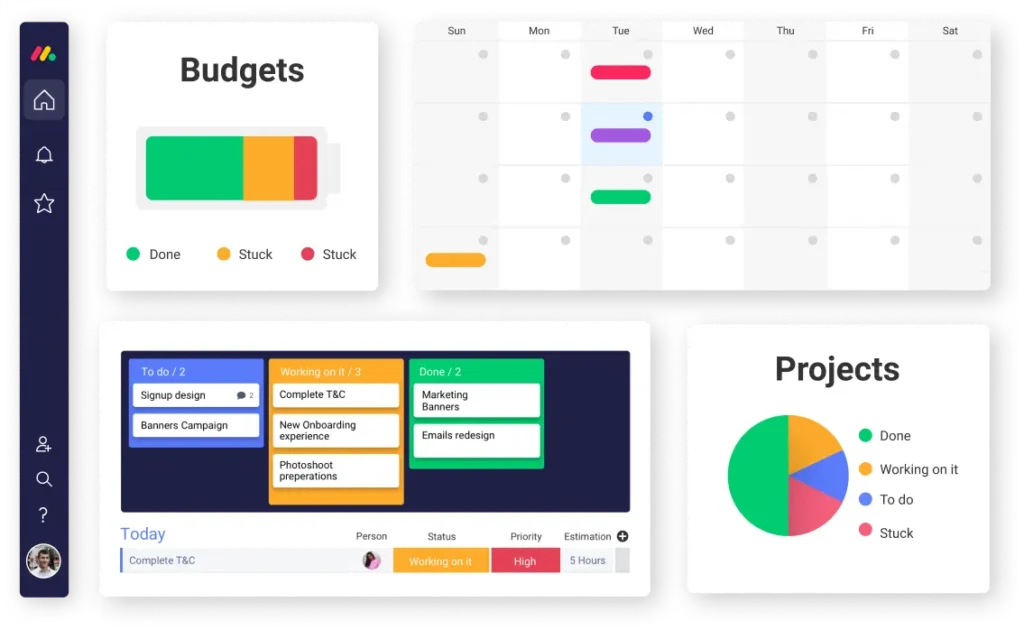
Monday.com is a platform that brings project, sales, marketing, IT, and engineering work into configurable boards, dashboards, and automated workflows. Its focus is on collaboration and supporting communication between moderate to large-sized teams, with tools that can be moulded to how organisations already work.
The key features of for project management include:
- Customisable boards and automated workflows.
- Option for different views: kanban, Gantt, timeline, and calendar.
- Over 200 pre-built templates available.
- Integrations with other tools such as Slack, Outlook and Salesforce centralises information in one place.
Pros
- Highly visual, engaging interface.
- Robust choice for cross-department collaboration.
Cons
- The cost of using the platform can scale quickly as teams grow.
- Limited reporting options in the cheaper pricing plans.
Price
- Free plan available.
Digitise your Project Management with Factorial
All the platforms we’ve included here offer increased efficiency and time-saving benefits for small teams who need to simplify their project management. However, most tools focus only on project management and don’t extend to a more comprehensive approach. Factorial is different. Our platform brings together HR, payroll, leave and time tracking AND project planning into one centralised, simple platform. Using Factorial to support your project planning means less manual work, more visibility across your business and a reduced need to integrate with other applications.
Speak to one of our experts today to get advice and a free demo on how Factorial’s project management software can benefit your business.
Focus less on processes and more on people
- Connect time, talent, and finance processes in one platform.
- Automate admin tasks to save time and money.
- Gain data-driven insights for informed decisions.
FAQ
What is the best project management software tool?
The best tool for small businesses integrates project management with other core functions. Factorial, an all-in-one business management software, is a top choice because it combines project planning with HR, time tracking, and payroll, centralising operations and reducing the need for multiple applications.
What are 5 project management tools?
Five popular types of project management tools include visual kanban-style boards, platforms focused on task and workflow automation, and highly customisable systems. Others excel at cross-team collaboration, while all-in-one business management software like Factorial integrates project management with HR and finance.