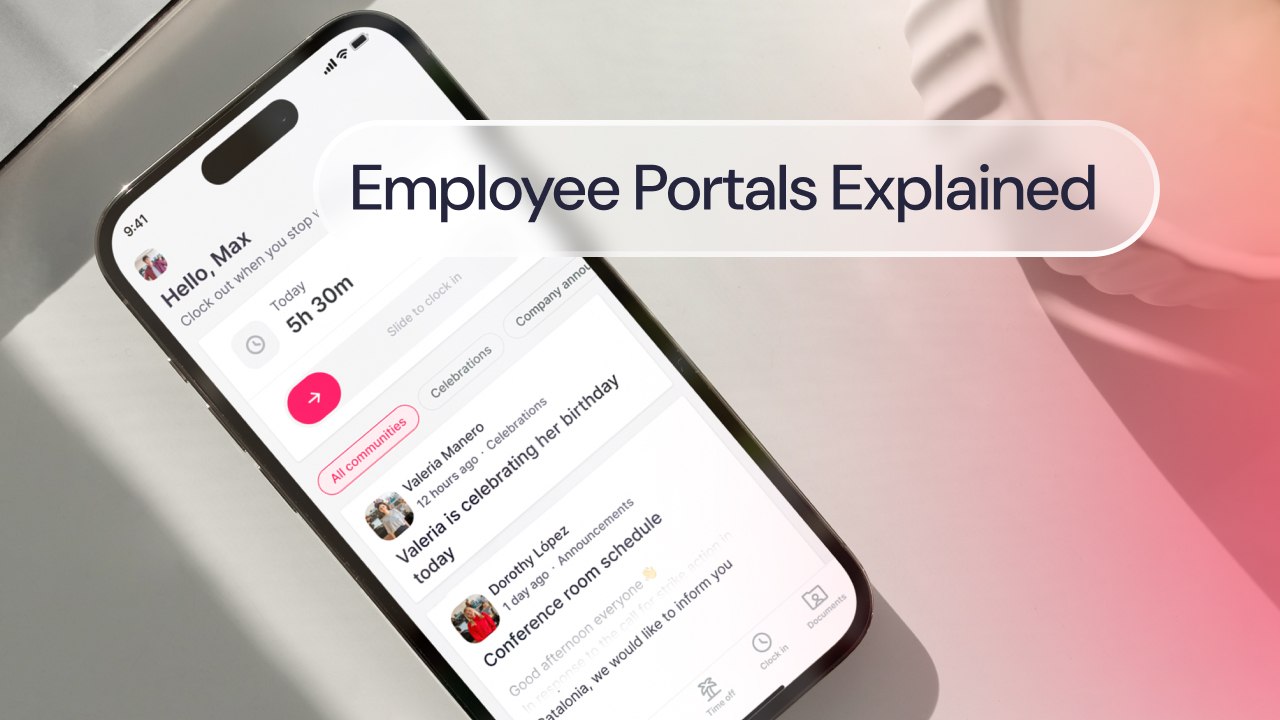
Human Resource Information Systems (HRIS) are tools that automate processes such as recruiting, hiring, onboarding, attendance tracking, performance management and employee benefits administration.
For UK SMEs, an HRIS replaces spreadsheets and paper files with secure employee records. This guide explains the benefits, UK GDPR and payroll considerations, and how to choose and migrate to HR software for small businesses.
Key takeaways
- An HRIS, or human resources information system, stores employee records and automates core HR tasks such as holiday requests, onboarding, absence tracking and payroll inputs in one place.
- The ONS reported that 148.9 million working days were lost to sickness or injury in the UK in 2024, an average of 4.4 days per worker.
- Average absence stands at 9.4 days per employee, or 4.1% of working time, according to 2025 research on health and wellbeing at work.
- Automating HR administration through an HRIS can save HR professionals up to two hours a day.
What is a Human Resource Information System (HRIS)?
An HRIS, or human resources information system, is a HR software solution for small to midsize businesses (SMBs) to help store, process, and manage payroll and employee data. HRIS systems are used by HR professionals to consolidate information like employee onboarding and off-boarding processes, benefits administration, training programmes, compensation plans, performance reviews, and more.

HRIS vs HRMS vs HCM: what’s the difference?
| System | Focus | Typical scope |
|---|---|---|
| HRIS | Data management | Employee records, absence, holiday, payroll inputs and documents |
| HRMS | HR operations | Everything in an HRIS plus recruitment, performance and learning |
| HCM | Strategic workforce management | The employee lifecycle, workforce planning and engagement |
These labels overlap, and suppliers may define them differently.
What is HR digital transformation?
HR digital transformation is the process of changing operational HR processes to become automated and data-driven. In order for it to be successful, this metamorphosis should involve the company as a whole.
Benefits of Using HRIS
Companies need a system that can help them in better decision-making, identifying the best talent, assessing their performance and retaining them. They also need to ensure that they are meeting all the compliance requirements concerning employee data management. All this requires a lot of manual effort, right from recruitment, payroll processing, and managing employee records to compliance management. An HRIS software automates these processes and saves time for the HR personnel.

Optimise Productivity
Software solutions like HRIS systems help companies optimise productivity by making it easier for employees to access company data and complete HR-related tasks. By consolidating all of this data in one place, HR professionals can more easily monitor activities like performance management and keep employees engaged.
For example, a well-managed HRIS makes communication between employees and managers simpler. Everyone can see their schedules, submit leave requests on time and track annual leave. Almost all workers are legally entitled to 5.6 weeks’ paid holiday a year. This can help managers understand when they will be short-staffed so they can plan accordingly and ensure enough people are working at all times. With schedules, holiday requests and absence records in one place, employees get the time off they have earned without extra paperwork.
The modern HRIS also allows for employee self-service. This means that employees can access the system and process certain transactions without contacting HR. Section 8 of the Employment Rights Act 1996 requires employers to provide an itemised pay statement. Employees can download it through an HRIS and request holiday on their mobile. This all can be automated using the right human resources management software. You can also publish your absence policy in the platform so line managers can approve or reject holiday requests in a couple of clicks.
In Factorial, for example, employees submit holiday requests from the mobile app, line managers approve or reject them, and remaining balances update automatically. You still set the approval rules and decide who can see each team’s absence calendar.
Improve the Recruitment Process
Time is money, and even a few days spent waiting on a new hire can be costly for your company, especially if you’re short-staffed. An HRIS can streamline recruiting and hiring, so you can speed up the hiring process and get quality candidates in front of your hiring manager quickly.
On the other hand, the right HRIS platform can also improve candidate experience.
Your brand reputation is important, and your candidate experience plays an essential role in what people say about your company. An employer branding survey found that 51% of people would not apply for a job with a company whose reputation in the industry was poor, while 75% said they would not take a job with an employer who had an overall negative online reputation. Your hiring process is often one of the first interactions candidates have with your brand, so it’s imperative to put your best foot forward.

Ensure Compliance
Any organisation that collects personal data about employees or customers must be GDPR compliant. An HRIS can help you keep employee data secure, restrict access to people who need it and respond to employees’ data access requests.
The ICO says its guidance on keeping employment records is under review following the Data (Use and Access) Act 2025. If you introduce time tracking software or digital signatures, use strong access controls to protect the personal data involved and your staff’s privacy. Therefore, choosing the right document management software is key to building a flexible but safe workplace.
For effective employee records management, the ICO’s checklist says that only staff who need access should be able to view workers’ records and that employers should dispose of records securely when no longer needed. The ICO also says you must consider data protection by design and by default when reviewing systems used for employment records. UK data protection law does not set fixed retention periods for employment records, so document and justify each retention period.
Simplify Employee Onboarding
New staff members have a lot to learn from their first day. The onboarding process is key to immersing your new team members into the company culture and guiding them on their duties.
Besides, the best HR software includes communication channels to facilitate networking in the office and help new members become part of the team.
An HRIS can automate daily processes, collecting data from each new employee and distributing information to the appropriate departments. If you are encouraging more flexibility and implementing remote work, it’s crucial to have all the information within the same platform.
Accurate Payslip Management
How you manage payroll is essential to ensure efficiency and fair pay. It’s a major task because absenteeism affects your business at a budget level but also at a teamwork level. Automation is a must to deal with accounting, especially for companies managing different work contracts.
Under PAYE Real Time Information (RTI), employers must report employees’ pay and deductions to HMRC on or before each payday. An HRIS that passes approved hours, holiday and sickness absence to your payroll software reduces rekeying errors, but someone with payroll responsibility should still check each run before submission.
On the other hand, the most featured HR platforms include custom reports to help you make better decisions on work contracts.
Manage the Organisational Chart
Understanding the roles and duties of each team member is key to leading a productive workforce. An HRIS can help you set managers and understand the hierarchy of your teams to ask for reports from the right people.
It’s easy as uploading your organisational chart and assigning obligations for each worker. In addition, the privilege features present in most HRIS facilitate custom views for employees and allows you to manage many departments within the same place.
What Are the Steps Involved in Implementing HRIS?
Human resource departments are facing more challenges than ever before. They must deal with challenges such as increasing regulatory compliance, growing benefits costs and shifting demographic trends. To stay up to date, many organisations are turning to human resources information systems to help them automate some of the more complex aspects of managing employees.
But as each company has its own needs, it is essential to understand how an HRIS can help you, and how to introduce it in your daily activities. An HRIS is a powerful tool for managing human resources, but only if you can efficiently implement your system.
You can use an HRIS to manage employee time through time tracking, attendance monitoring, holiday requests and more. Before HRIS implementation begins, choose the right platform for your team.
How to Choose the Right HRIS?
These are practical steps you can follow to identify the HR software for small businesses that will boost your team management and productivity:
- Define your needs: What problem are you trying to solve? Do you need an all-in-one solution, or do you want one that integrates with current systems? Do you need mobile capability?
- Find the right vendor: Once you’ve defined your needs, do some research on vendors that best match them. How long has the vendor been in business? Does it have experience in your industry? What’s its track record for support? At Factorial, we offer software solutions for over 60,000 customers who trust in our systems to automate their company processes.
- Make an implementation plan: A good vendor will help walk through the process with you and advise what steps are critical for success. In addition, your vendors’ support centre must be available to quickly assist you with any technical challenge you might experience.
- Check UK compliance fit: confirm the system handles UK holiday and Statutory Sick Pay rules, feeds your PAYE payroll, and lets you set role-based access and retention rules. The ICO expects data protection by design and by default in systems that hold employment records [7].
- Run a pilot: test the system with one team for a full pay period, gather feedback and then roll it out across the company.

Migrating From an Old HR System
If your company is growing and your current system isn’t enough to manage daily processes, you must consider migration to a better framework.
Follow these HRIS implementation steps to migrate safely:
- Audit your current records, identify data you can lawfully delete and dispose of it securely.
- Map each data field from the old system to the new one and remove duplicates.
- Carry out a data protection impact assessment (DPIA) if the new processing is likely to result in a high risk, as the ICO advises.
- Run payroll in parallel for at least one pay period and reconcile the results.
- Train line managers and staff before switching off the old system.
The key to successful HRIS implementation is to get everyone involved, from the top down. Management teams, HR managers, and employees must be all on board with change and understand the significance of upgrading your HR software.
To ensure a smooth transition, identify key team members and stakeholders within your organisation, who can help you with HRIS implementation and adoption in the following departments:
Management Team
Your management team plays a crucial role in getting employee buy-in for new software. Custom reports, hierarchies, communication channels, performance tracking, and document management are features you should analyse with your managers.
As they will be in charge of work teams, you have to be sure the HRIS of your choice has everything you need to deal with daily activities at the office.
IT Department
IT teams are often tasked with setting up new software across an organisation. You should involve them during implementation to ensure things run smoothly and be sure they have access to the HRIS documentation.
Your IT department will be crucial to solving any technical difficulty and answering your employees’ questions regarding software use. On the other hand, they are in charge to ensure everyone knows how to protect their privacy. Preventing cyberattacks and online fraud is a must in every employee training programme.
HR Team
HR managers will use your new system every day, so they must be involved right from the start. They can help evaluate system demos, create documentation for employee training, and ensure everything is set up correctly before you begin using the software.
When implementing a new system in the workplace, HR teams must be there for employees to provide support and guidance. It’s crucial to stay alert and help with any obstacle while with daily tasks using HRIS. Remember that not all employees are that close to technology, and changes could take time for people to adapt to the new software. Therefore, your HRs must be there to answer any question but also to ensure employees understand how they are expected to report on the platform.
Employees
Employees are perhaps the most important part of your team when implementing a new HRIS solution. They will use it to request absence, sign documents, clock in, sometimes with location data, and download their payslips. Thus, you must be sure your HRIS is respecting your staff’s privacy, but also, it’s easy to use. HRIS are here to solve and automate our work. If your team finds the system awkward to use, adoption will stall and the investment will not pay off.
You are in charge of training them and offering support to help them make the most of the management software. On the other hand, encouraging virtual team building activities inside the communication channels helps to strengthen professional relationships.

Key HR Metrics to Track Workforce Growth
An HRIS can help you handle HR data analytics to make more informed decisions regarding talent acquisition and management policies. Here are a few of the most important HR metrics to track with your HRIS:
Absence management and workforce growth metrics
| Metric | How to calculate it | UK benchmark |
|---|---|---|
| Sickness absence rate | Hours lost to sickness ÷ hours available × 100 | 2.0% in 2024, according to the ONS |
| Days lost per employee | Total absence days ÷ headcount | 9.4 days per employee |
| Turnover rate | Leavers ÷ average headcount × 100 | Track against your organisation’s trend |
| Hiring cycle time | Days from approved vacancy to accepted offer | Track against your organisation’s trend |
Recruitment
These encompass everything from candidate sourcing to new hire productivity. They help you assess what sources are most effective for hiring, whether your applicants actually stay on the job and how quickly they become productive. Some of these metrics may be tracked by HRIS rather than recruiting software.
Absenteeism
This metric is the percentage of days when an employee does not show up for work for any reason. Tracking this metric can help you identify problem areas, such as unorganised work environments or personal issues that might be affecting an entire department.
There are many reasons why employees take time off work, and you should be aware of it to make better decisions for your company. For example, when it comes to sick leave, the ONS found that minor illnesses were the most common reason for absence in 2024, accounting for 30.0% of occurrences. Mental ill health was the leading cause of long-term absence, cited by 41% of organisations. If sickness absence is high, a mental health programme can support your staff, but use your HRIS absence management data to assess its results. Research found that 64% of organisations are taking steps to identify or reduce workplace stress, yet only 50% believe those efforts are effective.
Employee Engagement and Retention
Employee engagement is a measure of how motivated and enthusiastic your employees are about their work, the company, and its goals. A growing body of research shows that engaged employees are more productive, more innovative, make better business decisions, possess enhanced problem-solving skills, and have higher customer satisfaction scores.
Retention is one of the best indicators of a healthy business. If you’re losing employees left and right, it could be a sign that you have a problem. The best way to figure out if you have retention issues is by tracking retention over time. You can also segment your data by department or manager to find out where problems are originating.
Turnover Rate
The turnover rate refers to the number of employees who leave your company during a certain period, usually a month or year. It’s one of the most basic HR metrics to track because it directly impacts your organisation’s bottom line. But it’s also difficult to calculate because there are many ways to define turnover rate. Most companies measure it as the percentage of employees who left in a given period divided by the average headcount over that period. When calculating the voluntary turnover rate, only include employees who resigned voluntarily; the involuntary turnover rate refers to employees who were fired or otherwise terminated from the company.
Hiring Cycle Time
The time it takes to fill an open position can have a huge impact on your business. Hiring cycles that take too long can leave your team short-handed, cause you to lose money, and reduce productivity. On the other hand, hiring cycles that are too fast can lead to poorly selected candidates who drain resources in other ways (like a high turnover). By measuring hiring cycle time, you’ll know when you need to speed up or slow down recruitment processes.
HRIS software can help you attract top talent by automating hiring processes and helping you streamline onboarding. It also can help you retain good employees by managing compensation, scheduling, and enrolment benefits. In this post, we discussed how you can implement an HRIS system without affecting the normal workflow of your company, and all the different departments you should involve in the process.
Frequently asked questions
An HRIS is a system that stores employee information and helps HR teams manage tasks such as onboarding, absence, performance reviews and payroll data. Bringing these records and processes together reduces manual administration and gives employees easier access to their information.
Four common types are HRIS for employee records, HRMS for day-to-day HR processes, HCM for broader workforce planning, and applicant tracking systems (ATS) for recruitment. These categories often overlap, so choose based on the tasks your organisation needs to manage rather than the label.
HRIS systems range from basic employee-record databases to systems that also manage leave, onboarding, performance and payroll information. Factorial brings these processes together, making it a practical choice for businesses that want to reduce manual HR administration.