Finding the right payroll software for one business is already a difficult job, but choosing payroll software for accounts who work with several clients is even harder. Different clients may have different paydays, pension schemes, pay frequencies and payroll changes. One client might have five employees on fixed monthly salaries, while another has 100 workers with overtime, bonuses and weekly pay. Payroll software for accountants is designed to make this easier. It helps accountants and payroll professionals calculate pay, manage several client payrolls and report the correct information to HMRC.
This guide explains what payroll software for accountants is, how it works and what you should look for before choosing a system. If you are new to payroll, Factorial’s payroll guide covers the basics first.
Key facts about payroll software for accountants
- UK payroll software should support online PAYE reporting to HMRC. HMRC provides a list of software it recognises for this purpose.
- A Full Payment Submission, or FPS, normally needs to be sent to HMRC on or before the employee’s payday.
- PAYE payroll records generally need to be kept for three years from the end of the tax year they relate to.
- Payroll software can also help with workplace pension duties, such as assessing workers and calculating contributions, according to The Pensions Regulator.
- When an accountant acts for a client with HMRC, the client normally needs to authorise the accountant first as a tax agent.
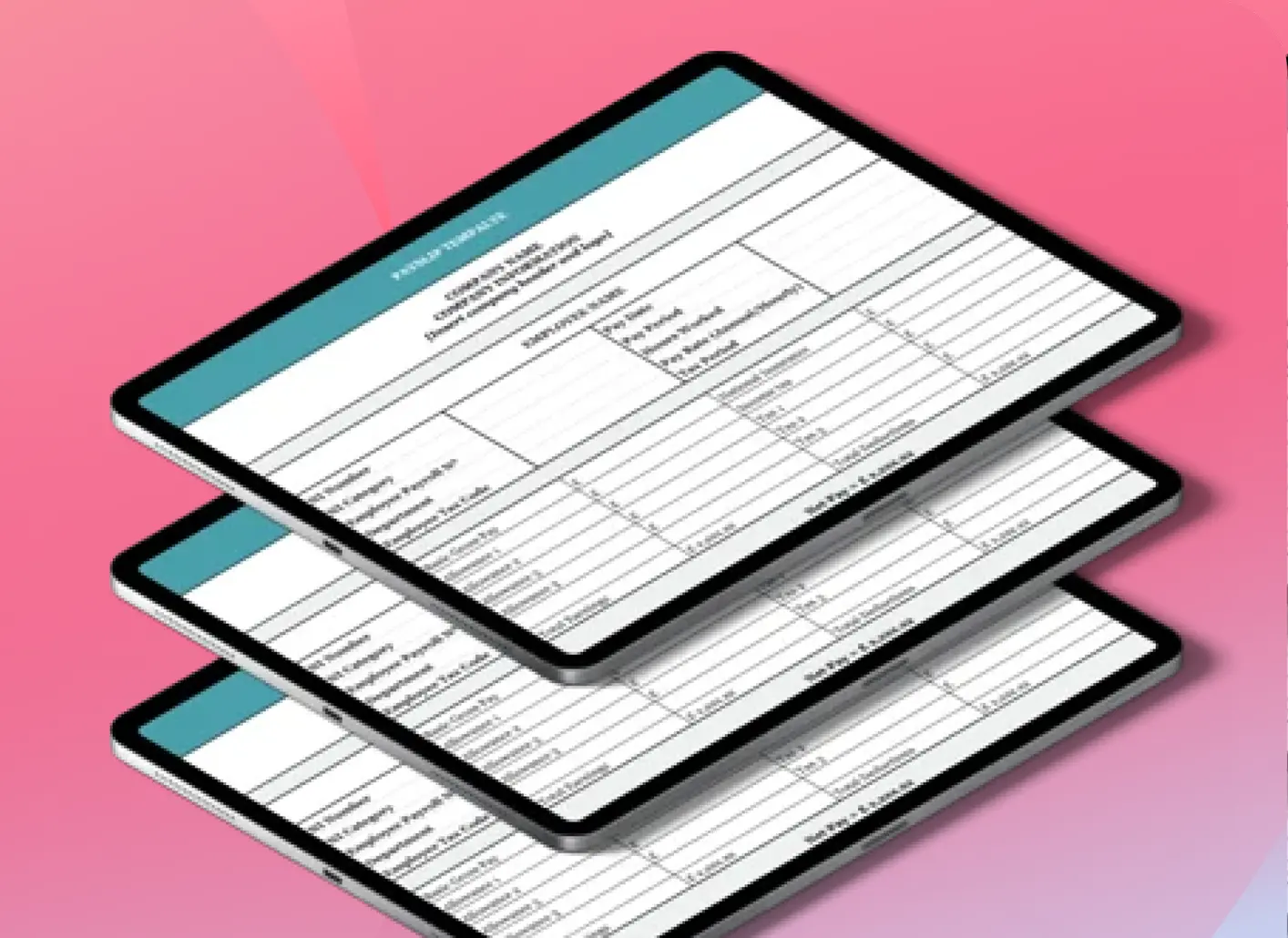
What is payroll software for accountants?
Payroll software for accountants is software used to calculate and manage payroll for clients.
While an ordinary employer may only need to run one PAYE scheme, an accountant could be responsible for dozens or hundreds. That means the software needs to do more than calculate somebody’s take-home pay. It also needs to help the accountant keep different businesses, employees, deadlines and HMRC submissions organised.
Depending on the system, payroll software for accountants can help with:
- calculating wages and salaries
- PAYE Income Tax
- National Insurance
- pension deductions
- statutory payments
- student loan deductions
- payslips
- Full Payment Submissions
- Employer Payment Summaries
- P45s and P60s
- payroll reports
- multiple clients and PAYE schemes
- client approvals
- year-end payroll tasks
HMRC explains that payroll software can be used to record employee information, calculate pay and deductions and report payroll information online. However, not every product supports every payroll feature, so it is important to check before choosing one. See GOV.UK’s guide to payroll software.
How is accountant payroll software different from normal payroll software?
The main difference is the number of businesses you need to manage. While a small employer could use payroll software and may log into its software once a month, run payroll and finish, an accountant might have one client paying employees every Friday, another paying on the 20th and another paying on the final working day of the month. Some clients may even have more than one payroll. That creates much more admin. Software built for accountants should therefore make it easy to move between clients and see what needs doing.
You may need to know:
- which clients have sent their payroll information
- which payrolls still needs to be checked
- which clients need to approve payroll
- which HMRC submissions are outstanding
- which paydays are coming up
This is why accountant payroll software often includes multi-client or payroll bureau features that are less important for a single employer to have access to.
Multi-client management should be easy
One of the first things to look at when choosing payroll software as an accountant is how the software handles multiple clients. Adding more clients should be simple. Ideally, your team should have a clear view of all the payrolls they manage and be able to see which ones need attention.
Useful information might include:
- next payday
- current payroll status
- payroll frequency
- missing information
- client approval status
- HMRC submission status
This becomes more important as your practice grows. The aim should be to have one place where your team can see what needs to happen next for each client.
Look for HMRC reporting
UK accountants need payroll software that fits HMRC’s PAYE reporting process. Employers normally report employee pay and deductions through Real Time Information, often shortened to RTI. The main report is the Full Payment Submission, or FPS. An FPS tells HMRC how much employees were paid and what deductions were made. It normally needs to be sent on or before payday.
An Employer Payment Summary, or EPS, is used in certain situations. For example, an employer may need one when claiming reductions for certain statutory payments or when no employees were paid during a tax month.
Your software should make it straightforward to:
- create FPS reports
- create EPS reports when needed
- submit information electronically
- see whether HMRC accepted the submission
- correct payroll information when something goes wrong
For more information about PAYE, see Factorial’s PAYE for employers guide.
Check whether the software is recognised by HMRC
HMRC can’t recommend one payroll software for accountants over the other, but it publishes a list of payroll software that it recognises for online PAYE reporting. This is a useful starting point when comparing different platforms. You can check the list on GOV.UK. However, you should still check whether the software has the features your accounting practice needs.
Payroll calculations should handle different clients
Accountants often deal with very different types of payroll. Your software needs to cope with the types of pay your clients actually use.
That can include:
- fixed salaries
- hourly pay
- overtime
- bonuses
- commission
- unpaid leave
- Statutory Sick Pay
- statutory family pay
- pension deductions
- student and postgraduate loans
- other deductions
It should also handle the different pay frequencies used by your clients. An employee could be paid weekly, every two weeks, every four weeks or monthly. The calculation process should also be clear enough that your payroll team can understand where a figure came from rather than simply accepting a final number. Our guide to calculating UK payslips explains how gross pay, PAYE, National Insurance and net pay fit together.
Workplace pensions should be part of the process
Pensions are another important area to check. The Pensions Regulator says payroll software can support automatic enrolment tasks such as assessing workers and calculating contributions.
Useful pension features can include:
- assessing whether workers need to be enrolled
- calculating employee contributions
- calculating employer contributions
- dealing with opt-ins and opt-outs
- handling postponement
- preparing information for pension providers
- keeping pension records
Compatibility is also another factor that matters. If your clients use several different pension providers, check how easily the payroll software works with them before choosing a system. You can find more guidance for payroll advisers on The Pensions Regulator website.
Make client data easy to collect
Payroll software cannot calculate the right pay if the information going into it is wrong.
Accountants often depend on clients sending information regarding changes such as:
- new starters
- leavers
- overtime
- bonuses
- salary changes
- sickness
- family leave
- working-hour changes
- unpaid leave
If all of this arrives through different emails and spreadsheets, mistakes become easier to make. When comparing payroll software, look at how information gets into the system. Can clients enter information through a secure portal? Can you import a standard spreadsheet? Can information come directly from the client’s HR system?
The easier it is to collect information in a consistent format, the less time your team should need to spend copying and checking it. Factorial’s payroll preparation features can help here and make it easier to check information and ensure it is updated.
Look for a clear payroll approval process
The accountant calculates payroll, but the client still needs to confirm that the information being processed is correct. For example, an accountant cannot know whether an employee was really supposed to receive a £2,000 bonus unless the client confirms it. A payroll system should therefore make approvals simple. Ideally, the accountant can prepare the payroll, give the client a clear summary and get approval before finalising the pay run.
You should also be able to keep a record of:
- what the client reviewed
- when they reviewed it
- who approved it
- whether changes were requested
That gives both the accountant and the client a clear record of the process to check what has been done.
Reporting should be simple
Payroll reports are useful to both accountants and their clients.
Your team might need reports to check payroll before it is finalised. Clients may also need reports for finance, accounting or management purposes.
Useful reports can include:
- gross pay
- net pay
- PAYE
- National Insurance
- pension contributions
- employer costs
- payroll changes
- department costs
- amounts due to HMRC
Check whether reports are easy to understand and easy to export. A report is not very useful if your payroll team has to spend another hour rebuilding it in a spreadsheet.
Security and access controls matter
Payroll contains highly sensitive information.
Accountants may hold data such as:
- home addresses
- salaries
- bank details
- National Insurance numbers
- tax information
- sickness information
Your software therefore needs to be secure and let you configure those security controls. When evaluating payroll software for accountants, ask whether you can decide which members of your team can see each client. A payroll administrator may only need access to the clients they actually manage rather than every payroll in the practice.
Useful security features can include:
- user permissions
- multi-factor authentication
- secure client portals
- audit trails
- permissions for access to documents
You should also check how information is backed up and what happens to access permissions when somebody leaves your practice.
Good software should help with payroll records
Accountants need to be able to find old payroll information when required. HMRC says employers need to keep records including employee pay and deductions, reports made to HMRC, payments to HMRC, tax-code notices and certain sickness and leave information. PAYE records normally need to be kept for three years from the end of the tax year they relate to.
Accountants should therefore check how their payroll software stores previous information. You can find the full requirements in GOV.UK’s PAYE record-keeping information.
Ask questions such as:
- Can we access previous tax years easily?
- Can we see old HMRC submissions?
- Can we retrieve reports if HMRC or a client asks for them?
- Can information be exported if a client leaves?
The system should make old payroll records easy to find by helping you stay organised.
Do not forget payroll year-end
Some payroll tasks only come around once a year, but they are still important when choosing payroll software for accountants.
At payroll year-end, accountants may need to:
- complete the client’s final payroll report
- prepare payroll for the new tax year
- apply updated tax codes and statutory rates
- prepare P60s
- deal with relevant expenses and benefits
Your software should make it clear when these tasks need to happen.
It should also be kept up to date so the correct payroll rates and rules can be used for each tax year.
Our payroll year-end checklist covers the main tasks employers need to prepare for.
Cloud or desktop payroll software?
Another question is whether you want desktop or cloud payroll software.
- Desktop payroll software is installed on a computer or local network.
- Cloud payroll software is normally accessed online.
While cloud software can make it easier for teams to work from different locations, receive software updates and share information with clients, desktop software may suit practices that already have an established local setup and prefer to manage the system internally. The most important thing to keep in mind when choosing is how the software fits the way your accounting practice works. Think about where your staff work, how your clients send information and how the team can access payroll securely.
Think about migration before buying
Changing from one payroll software to the other can be a large job for an accounting practice. You are not only moving your own settings, but information for many clients and hundreds or thousands of employees.
This can include:
- employee information
- PAYE details
- payroll IDs
- year-to-date pay
- tax deductions
- pension information
- previous payroll reports
Ask the provider how migration works before signing a contract. Find out what can be imported automatically, what needs to be checked manually and what support the provider will give you for this big task. Where possible, test the software with a small number of clients before migrating the whole practice.
How to choose payroll software for your accounting practice
When choosing accountant payroll software, you should look at how your team currently works and ask where most of the time is being lost. Explore your options through this lens.
Consider what slows you down in your work. You may be spending too much time:
- chasing clients for information
- entering the same data several times
- checking payroll deadlines
- getting client approval
- creating reports manually
- switching between different platforms for different tasks
Then look for software that solves those specific problems.
Before settling on a platform, check:
- how many clients and employees it can handle
- whether it supports your clients’ pay frequencies
- which HMRC reports it can submit
- whether it supports workplace pensions
- how clients send information
- how payroll approval works
- what reports you can create
- which accounting and HR systems it connects with
- how permissions and security work
- how migration will be handled
- what support is included
- the full cost as your practice grows
A demo should show you these real processes.
How Factorial can support accountants and their clients
Payroll software is only one part of the payroll process. Before an accountant can run payroll, the client needs to provide accurate employee information. Factorial is an AI business management platform that can help employers keep employee and payroll information organised before it reaches their accountant or payroll provider.
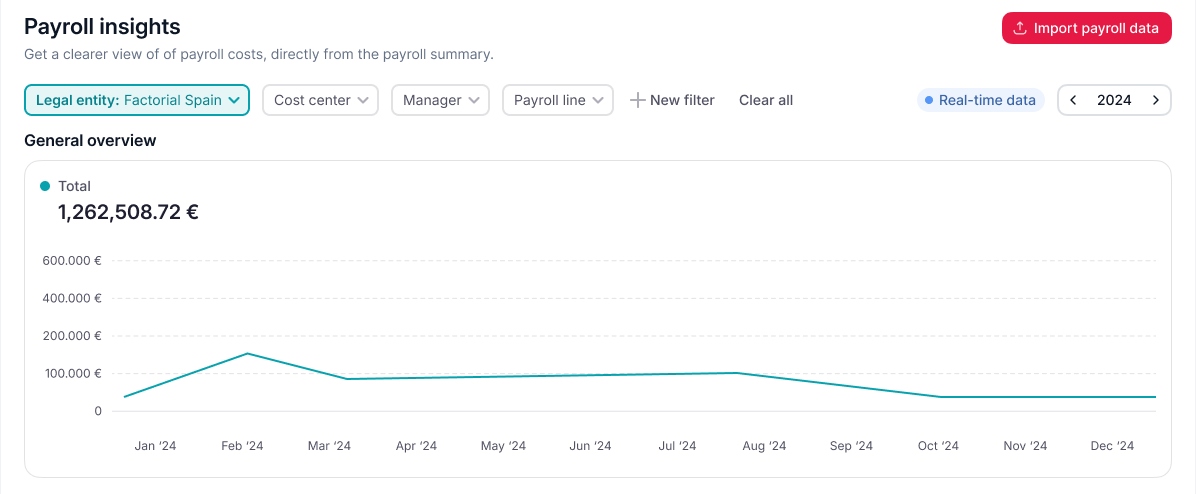
Factorial collects information from each segment of your organisation in a secure way. It can keep all of the info, such as new hires, leavers, salary changes and other payroll variables, together rather than having them spread across emails, spreadsheets, and Google drives. The accounting practice can then continue using its payroll software for payroll calculations, HMRC submissions and other payroll tasks.

FAQs about payroll software for accountants
Payroll software for accountants is software that helps accountants calculate and manage payroll for their clients. It can handle tasks such as PAYE, National Insurance, pensions, payslips, HMRC reporting and payroll records. Accountant-focused systems also usually make it easier to manage several clients.
Employers generally need payroll software that can report PAYE information online to HMRC unless they are exempt. HMRC publishes a list of recognised products that can send PAYE information online. HMRC recognition does not mean that HMRC recommends one product over another.
Accountants can provide payroll services to clients. Where the accountant needs to deal with HMRC on the client's behalf, the client normally needs to authorise them as an agent first. The employer still remains legally responsible for its PAYE duties.
Useful features include multi-client management, PAYE and RTI reporting, pension support, payroll calculations, payslips, client approvals, reporting, integrations, secure permissions and year-end tools. The right features depend on the number and type of clients you manage.
Payroll software is a general term for systems used to calculate and manage payroll. Payroll bureau software is normally designed specifically for organisations such as accountants and payroll providers that run payroll for several different employers. Bureau software therefore tends to place more emphasis on multi-client management, bulk work and client workflows.