If you run payroll for multiple clients, the payroll bureau software you choose can make a big difference to how much time your team spends on admin. The right system can help you process client payrolls faster, keep deadlines under control and reduce the amount of information you have to chase or enter by hand.
But different payroll bureau platforms suit different types of accounting practice. Some focus on automation and client portals, while others keep things simple for smaller firms that just want reliable multi-client payroll.
In this guide, we compare five payroll bureau software options for UK accountants. We look at who each one is best for, what makes it stand out, what real users say based on reviews we found online and what you should definitely check before you choose a platform.
If you need more help choosing, we covered the basics in our guide to choosing payroll software for accountants. In the article you are currently reading, we focus more on who each option suits, what stands out, and what to check before you buy. If you want help with the process around bureau software, our guide to running payroll for multiple clients explains deadlines, client information, checks and approvals.
How we compared the software
We compared each product using information from the software provider, HMRC and actual customer reviews on sites such as Capterra and Trustpilot. We looked at what each tool offers, who it is best suited to and what users like or dislike about it. For this, we scoured the most trusted review sites on the web and selected a few reviews to illustrate what users experienced with each platform. We have not tested the software ourselves, so it is always worth booking a demo and checking the latest features and prices before you choose.

Payroll bureau software compared
| Software | Best for | Main reason to consider it |
|---|---|---|
| Staffology Bureau | Growing and larger bureaux | Automation, portal and integrations |
| BrightPay | Small and medium practices | Simple bureau workflows and batch tools |
| Sage Payroll Bureau | Existing Sage users | Strong Sage ecosystem and client tools |
| Moneysoft Payroll Manager | Smaller payroll agents | Simple multi-client payroll |
| Capium Payroll | Cloud accounting practices | Payroll inside a wider accounting suite |
All five providers have payroll products on HMRC’s recognised payroll software list. HMRC makes it clear that just because the software is included on their list does not mean it recommends one product over another, so you still need to compare the software against your own needs and make a decision on your own.
1. Staffology Payroll Bureau Software
Best for: Growing payroll bureaux that want more automation.
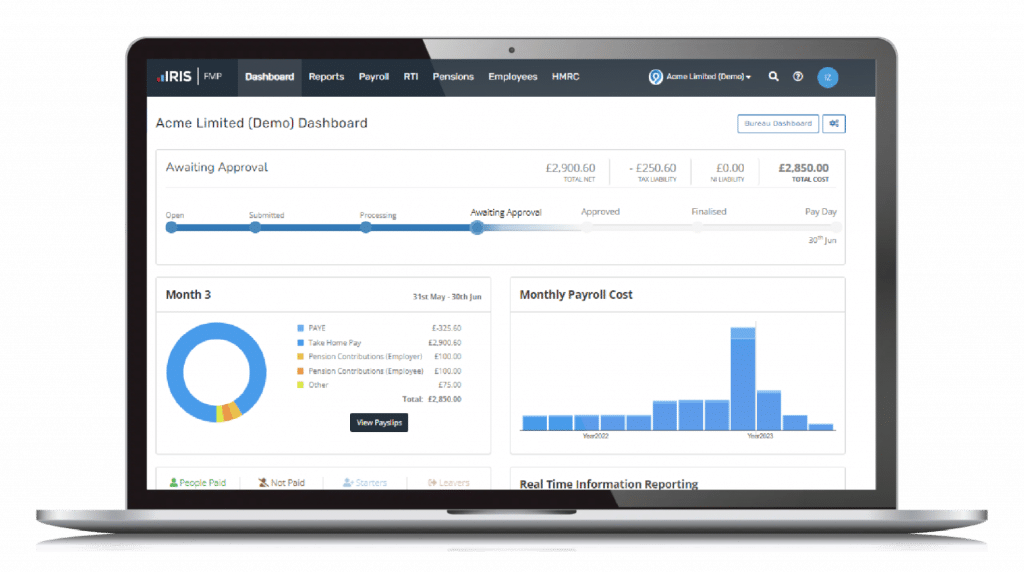
Staffology Bureau is a cloud platform from IRIS built for accountants and payroll bureaux. Its biggest selling point is automation. IRIS says its Auto Pilot can handle tasks such as finalising payroll runs, sending payslips, filing the FPS and preparing the next pay run.
It also has a self-service client portal, white-labelling and API-backed integrations. That makes it interesting for practices that want clients to send payroll data through a portal and want their payroll service to look like part of their own brand.
Main features
- Auto Pilot: Runs routine payroll tasks automatically, such as finalising payroll, sending payslips and filing FPS submissions. Useful for saving time on payrolls that do not change much.
- Self-service client portal: Lets clients send payroll information, view records and check progress online. Useful for reducing emails and chasing.
- White-labelling: Lets you add your own logo, colours and branding to the platform and client portal. Useful if you want the software to look like part of your own payroll service.
- API-backed integrations: Connects payroll with HR, accounting, pensions, payments and time-tracking systems. Useful for reducing manual data entry. IRIS
What users say?
Matt G. (Head of Bureau Services) wrote on Capterra: “Easy to navigate and use, easy to train out to new staff,” calling using Staffology one of the best decisions they have made. Read more Staffology reviews on Capterra.
What to check
Staffology has more automation and integration options than some of the simpler tools. Ask yourself (and your team) whether you will actually use all features and request pricing based on the actual volume of payslips you issue. You should also test migration using a real client account, as things may work perfectly in a demo environment, but not in real life.
Good fit if…
…you want to grow your bureau, automate work you often repeat, and give clients an online portal that feels intuitive to use.
2. BrightPay
Best for: Small and medium practices that want bureau tools that aren’t too complex.
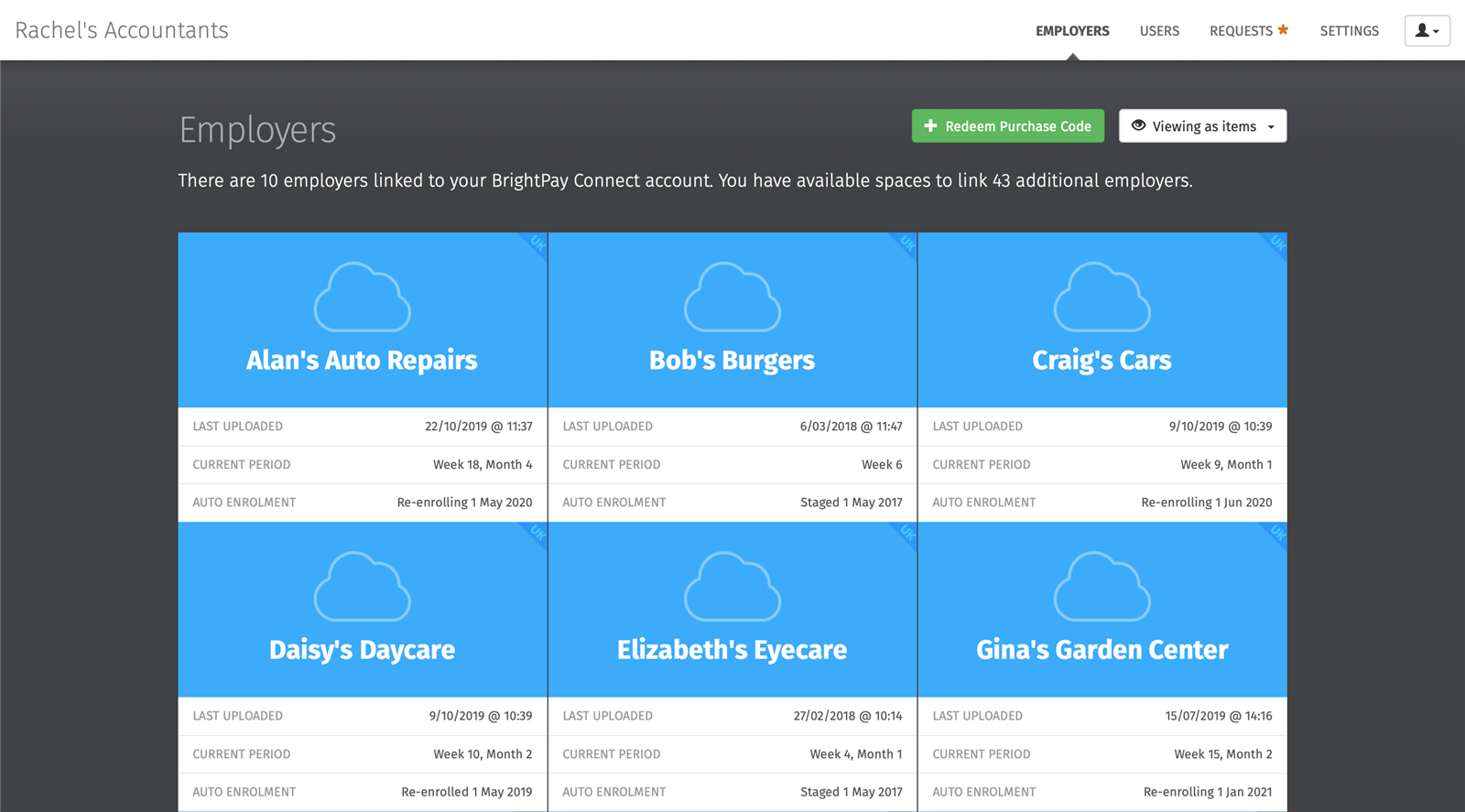
BrightPay is popular with accountants because it combines everyday payroll with useful multi-client tools. Its batch operations can process tasks across several employers, including finalising payslips, checking coding notices and sending outstanding RTI submissions.
Its client workflow is another strength. Bureaux can ask clients to enter payroll information or approve a prepared payroll through the client portal. BrightPay also keeps an audit trail of payroll approval requests, which can help when you need to check what the client approved.
Main features
- Batch processing: Lets you complete tasks for several clients at once, including finalising payslips and sending RTI submissions. Useful if you manage lots of small payrolls.
- Client portal: Gives clients access to payroll reports, payslips and HMRC information. Useful for giving clients more self-service.
- Payroll approval requests: Lets clients check and approve payroll before you finalise it. Useful for catching mistakes and keeping a record of approval.
- Pension integrations: Connects with providers such as NEST and The People’s Pension. Useful for making automatic enrolment work easier. BrightPay
Users say
Bright has a 4.1 TrustScore on Trustpilot from more than 800 reviews. One reviewer said BrightPay changed payroll for them and that “the system is slick and works well.” Other reviews mention problems with the move to cloud software and customer support, so it is worth testing the system yourself before switching. You can read more Bright reviews on Trustpilot.
What to check
BrightPay has moved strongly towards its cloud platform. Make sure the demo covers the exact version and feature packages that you plan to buy, including any client portal, migration and batch features your practice relies on.
Good fit if…
…you want a fairly simple system with strong batch processing and client approval workflows.
3. Sage Payroll Bureau Software
Best for: Accounting practices that already use Sage.
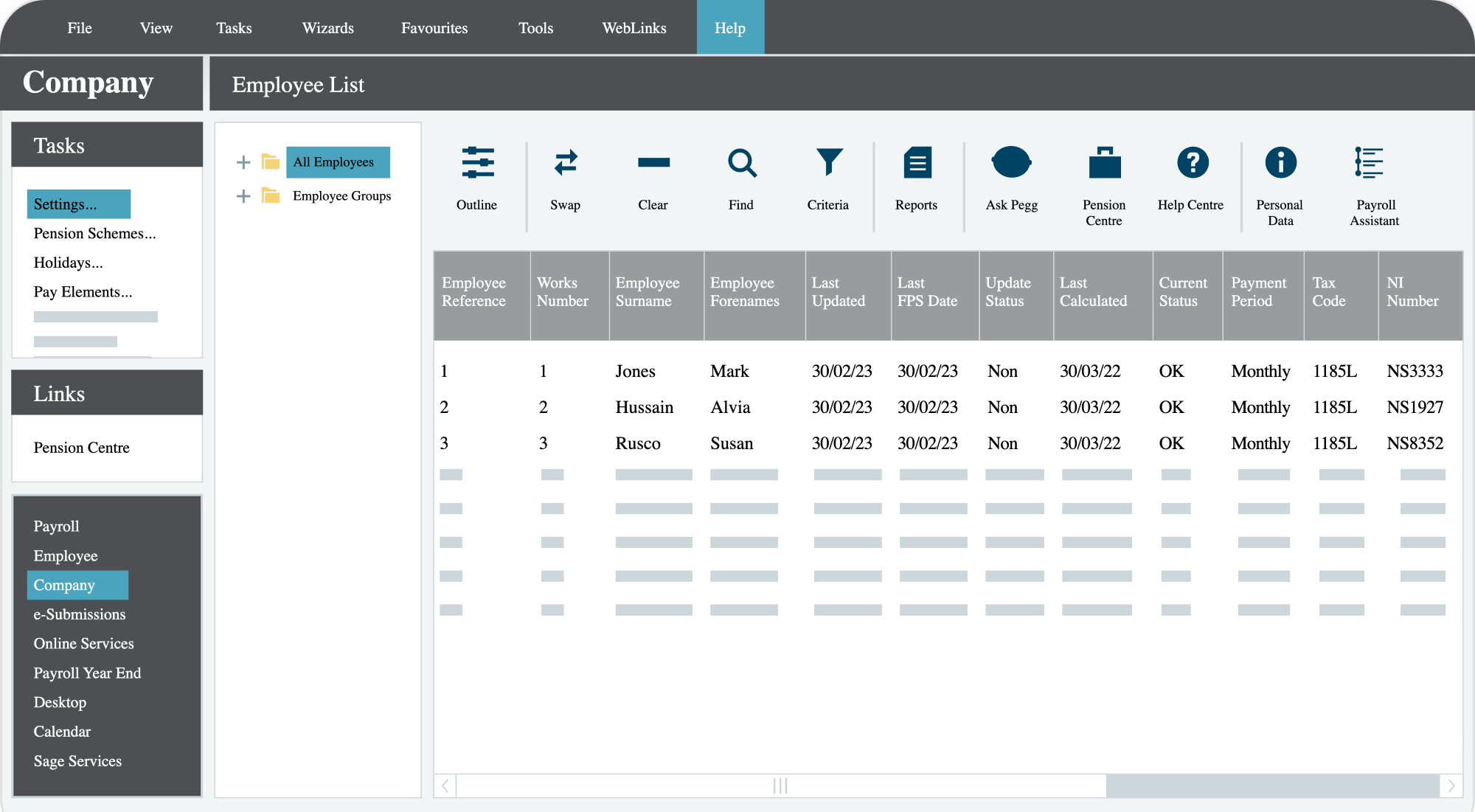
Sage Payroll Bureau combines Sage payroll with tools for managing client work. Bureau Manager gives you a dashboard for clients and tasks, while Online Bureau can provide online timesheets, payslips, P60s and document sharing.
This is especially useful if Sage is already central to your practice. Keeping payroll within the same software family can make more sense than adding another separate platform.
Main features
- Bureau Manager: Gives you a dashboard for viewing client companies and payroll work. Useful for keeping track of several clients.
- Online timesheets: Lets clients or employees enter working hours online before you import them into payroll. Useful for cutting down on manual data entry.
- Online payslips and P60s: Lets employees access payroll documents online. Useful for reducing printing, posting and emailing.
- Online documents: Gives you and your clients a secure place to share payroll documents. Useful for keeping files out of long email chains.
What users say
James D., a Director in the construction industry, gave Sage Payroll 5 out of 5 and described it as an “intuitive, comprehensive system that integrates well with HMRC and pension providers.” He also noted that making changes after a pay run can sometimes be difficult. Read more Sage Payroll reviews on Capterra.
What to check
Sage has different payroll products and add-ons. Be clear about which bureau, online and multi-company tools are included in your quote. If you do not already use Sage elsewhere, compare the whole setup against standalone bureau products.
Good fit if…
…your practice already uses Sage and you want your payroll to stay inside that ecosystem.
4. Moneysoft Payroll Manager
Best for: Smaller accountants that want straightforward payroll software.
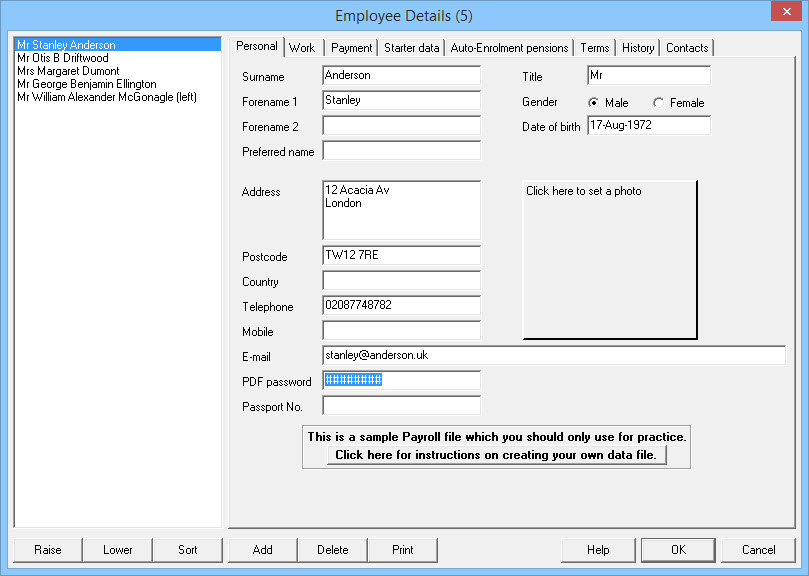
Moneysoft Payroll Manager takes a simpler approach. Its two agent versions can handle an unlimited number of client companies, although each company has an employee or subcontractor limit depending on the version.
Its multi-company versions include an RTI batch processor, and the main pay screen shows the whole year. That can make it easy to move between periods, check earlier figures and correct mistakes.
Main features
- Unlimited client companies: The agent versions let you manage an unlimited number of clients, with employee limits for each individual company. Useful for accountants with lots of smaller payroll clients.
- RTI batch processor: Lets you send RTI returns for several clients one after another. Useful for saving time around HMRC submissions.
- Year-view pay screen: Shows payroll information across the whole year. Useful for checking past periods and correcting mistakes.
- Agent invoicing tools: Helps calculate and prepare charges for payroll clients. Useful if payroll is a separate paid service in your practice. MoneySoft
What users say
Savaria, a recent UK Trustpilot reviewer who moved from BrightPay to Moneysoft, described the platform as: “No frills, but with a bit of intuitive work nothing important is missing.” Read the Moneysoft reviews on Trustpilot to get the full picture of what users think of this option. Feedback is quite mixed, with several other recent reviewers criticising customer support.
What to check
Decide how important cloud working and client self-service are to you. Also check the employee limit for each client and test the support route you would use if payroll stopped working close to payday.
Good fit if…
…you run lots of smaller payrolls and care more about simple processing than a large cloud ecosystem.
5. Capium Payroll
Best for: Accountants that want payroll inside a wider cloud accounting platform.
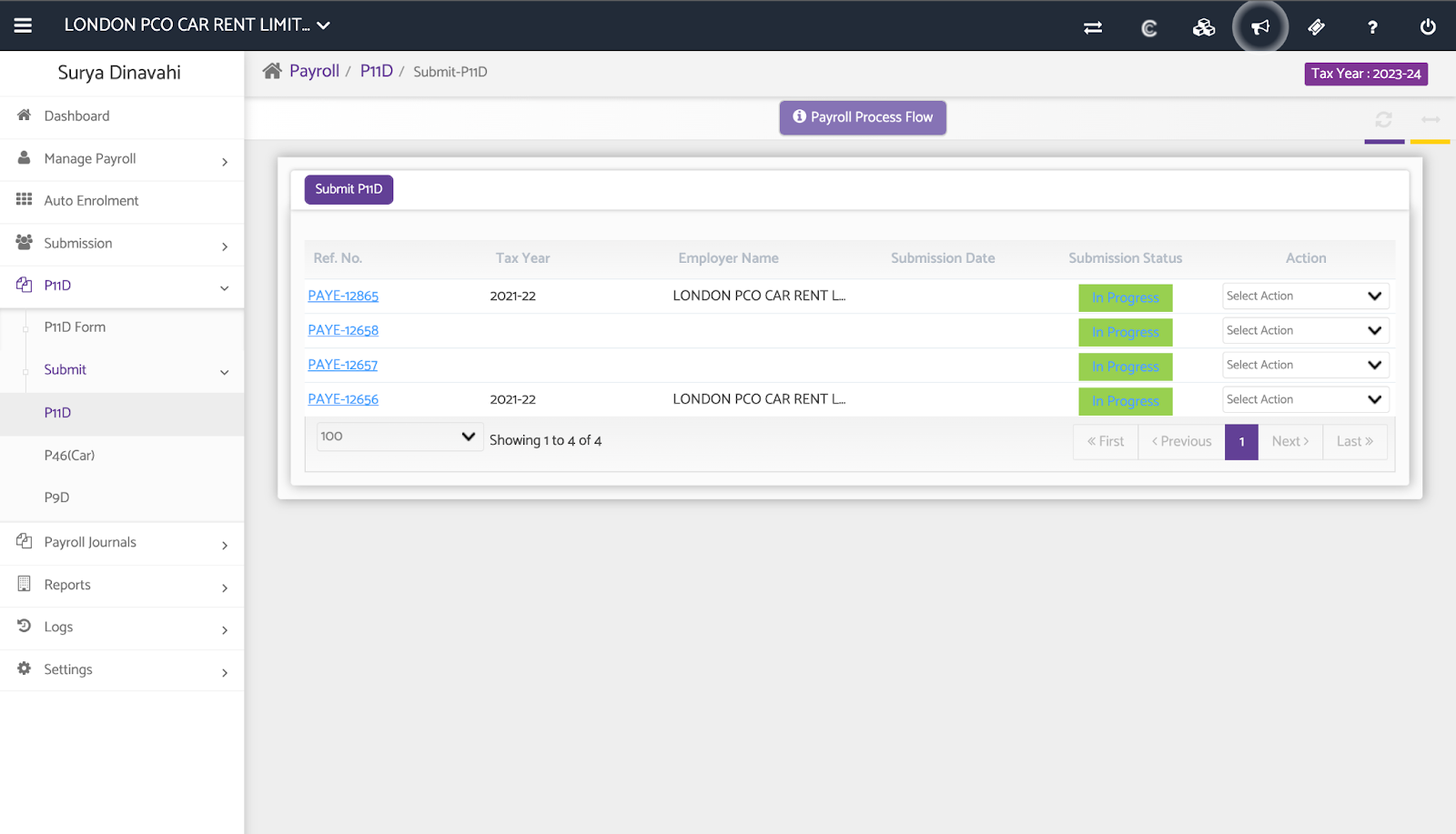
Capium Payroll is built for accountants and includes multi-client payroll, FPS and EPS submissions, batch RTI, auto-enrolment and automated payroll for employees or directors with static pay.
Thanks to the wider Capium suite, payroll can sit alongside bookkeeping, accounts production, tax and practice management. That can be useful if you want to reduce the number of separate systems your practice uses.
Main features
- Batch RTI: Lets you process RTI work across client payrolls. Useful for reducing repetitive HMRC admin.
- Automated payroll: Can automate payroll and payslip processing for employees or directors whose pay stays the same. Useful for simple, regular payrolls.
- Payroll client management: Lets you manage several client payrolls from one system. Useful for keeping client work organised.
- Capium integrations: Payroll connects with other Capium tools such as bookkeeping, tax and practice management. Useful if you want more of your accounting work in one platform.
Users say
A Trustpilot reviewer who goes by the name “Eve” said they use Capium for bookkeeping, payroll and accounts and described it as offering “very competitive pricing & good value for money for small firms.” Read the Capium reviews on Trustpilot to see what others have to say. They show that some users find parts of the wider platform less easy to learn, so onboarding matters a lot in this case, you may deduce.
What to check
Decide whether you actually want the wider Capium suite. If you only need payroll, compare the payroll module on its own rather than assuming an all-in-one platform is automatically better.
Good fit if…
…you want payroll, tax and other accountancy work in the same cloud platform.
How to choose the right payroll bureau software
Do not start by asking which product has the most features. Start with the problems your payroll team has today.
- Match the software to your client base. A practice running 100 small director payrolls may care most about batch processing. A bureau with larger clients may need better workflows, permissions and integrations.
- Look at how clients send information. If your team spends hours chasing spreadsheets, test the client portal and approval process carefully.
- Check the real price. Ask for a quote using your actual number of clients, employees and payslips. Check whether portals, extra users, support or other modules cost more.
- Test migration. Moving payroll data can be one of the hardest parts of changing software. Ask the provider to show how it would move a real client with year-to-date figures, starters, leavers and pensions.
- Check support before you need it. Find out whether support is by phone, email or ticket, what hours it operates and whether payroll specialists are available near important deadlines.
- Run a realistic demo. Ask the provider to process a new starter, leaver, bonus, pension change and correction. Then ask them to show client approval and the HMRC submission status.
If you are still working out which features matter, our guide to payroll software for accountants covers the basics in more detail.
Where Factorial fits into the payroll process
Factorial is not specialist payroll bureau software for accountants running payroll for multiple separate clients. You would still use a bureau platform such as the options above for payroll calculations and HMRC submissions when working with your clients.
Factorial can instead help on the client side of the process. Employers can keep employee and payroll preparation information organised before it reaches their accountant using Factorial. This can make the handover cleaner and reduce information being spread across emails and spreadsheets. Book a free demo of Factorial to see how it can save you time during payroll runs!
For a closer look at the day-to-day bureau process, see our guide to running payroll for multiple clients. For the calculation side, our guide on how to calculate UK payslips explains gross pay, PAYE, National Insurance and net pay.
FAQs about payroll bureau software
The right software depends on how many clients you have, how complex your payroll runs are, your budget and what other systems you already use. Staffology, BrightPay, Sage, Moneysoft and Capium all suit slightly different types of practice.
Staffology puts more emphasis on automation, integrations and white-labelling. BrightPay is known for straightforward payroll, batch tools and client approval workflows. Test both against the way your own bureau works.
Keep it simple. Look for easy multi-client processing, clear pricing, reliable HMRC submissions and good support. Do not pay for complex automation or integrations unless they will genuinely save your team time.
You should use software that can report PAYE information online to HMRC. HMRC publishes a list of recognised products, but it does not recommend one recognised provider over another.
No. Factorial can help employers organise HR and payroll preparation information before it reaches an accountant. Specialist bureau software is still needed to run multi-client payroll calculations and HMRC submissions.