The payroll submission deadline in Ireland is on or before the date you pay your team. Monthly returns and tax payments have separate deadlines, so meeting one does not mean you have met them all. This guide explains the dates, the errors that can cause reporting problems, and the checks that help you prepare accurate payroll information.
What are the payroll submission deadlines in Ireland?
You must report payroll information to Revenue on or before each payday. This applies whenever you pay someone through payroll, whether your usual schedule is weekly, fortnightly or monthly. Start by understanding what counts as the pay date and how your reporting process fits around it.
According to Revenue, a payroll submission includes pay, statutory deductions and other required payroll information for each person being paid.
The deductions include Income Tax collected through Pay As You Earn (PAYE), Universal Social Charge (USC), Pay Related Social Insurance (PRSI) and Local Property Tax (LPT), where applicable.
You can report through compatible payroll software or Revenue Online Service (ROS). If a payroll provider submits for you, agree who checks the figures, who authorises submission and who confirms it was successful. Your business remains responsible for meeting its obligations.

Which date counts as payday?
For bank transfers, the pay date is generally the date the money is scheduled to become available in the person’s account. There is a specific rule for scheduled paydays that fall on a non-bank working day. As Revenue explains, the scheduled date can remain the payday when the funds are made available on the previous bank working day.
Check this before changing dates around weekends, bank holidays or year-end. A payment brought forward for another reason may need to be treated differently. Once the payday is clear, add the monthly return and payment dates to your calendar.
When are Irish payroll returns and tax payments due?
Payroll reporting happens each payday, while Revenue’s monthly statement and the tax payment follow their own timetable. Keeping these steps separate helps you avoid assuming that a later payment deadline also extends the reporting deadline.
| Payroll task | Deadline or timing |
| Report pay and deductions | On or before each payday. |
| Receive the monthly statement | Revenue makes it available by the 5th of the following month. |
| Check the monthly statement | Check and correct it before the 14th. If you do not accept it earlier, Revenue generally treats it as your monthly statutory return on the 14th. |
| Pay the monthly tax liability | Normally by the 14th of the following month, extended to the 23rd when you file and pay electronically through ROS. |
According to Revenue, approved quarterly payment arrangements change when you pay the liability. You must still report each payday and deal with monthly statements.
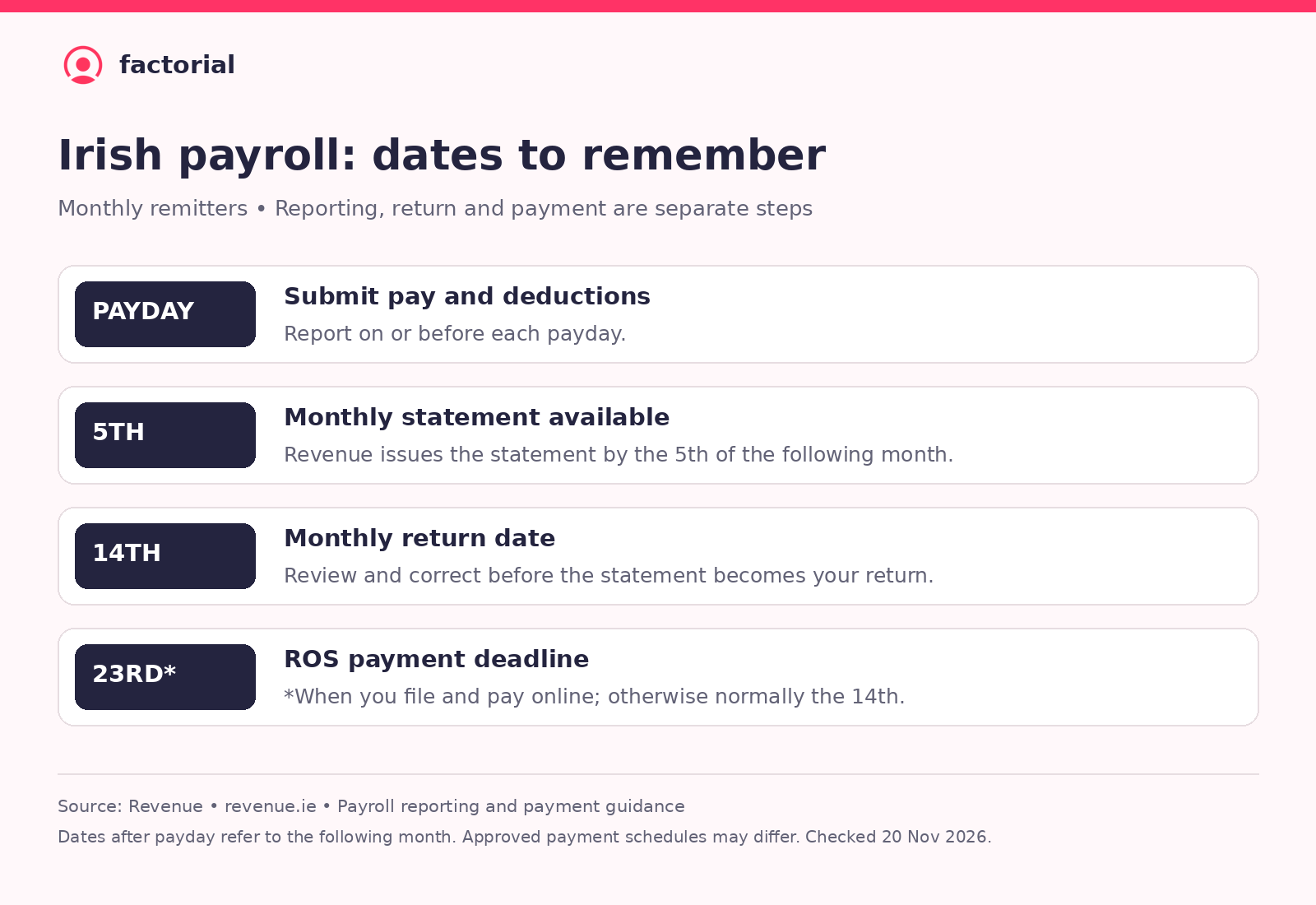
Build separate reminders for submission, statement review and payment. Assign a backup person for each task so annual leave does not interrupt the process. These external deadlines are fixed around your obligations, but your internal payroll cut-off needs to happen earlier.
How should you set your payroll cut-off?
Your payroll cut-off is the internal deadline for receiving information needed to prepare pay. Revenue does not set one universal cut-off for every business. Choose a date that gives you enough time to collect changes, check calculations and submit before payday.
The right timetable depends on your team size, pay frequency, banking arrangements and payroll provider’s requirements. A monthly payroll with variable overtime needs time for managers to check hours before finance reviews the payment file.
Work backwards from payday and allow time for:
- Collecting changes: approved hours, overtime, bonuses, absences, starters and leavers.
- Checking the information: missing dates, duplicate entries and changes without approval.
- Calculating payroll: using current Revenue instructions and applicable rates.
- Reviewing the results: comparing totals and investigating unusual differences.
- Reporting and payment: submitting payroll information and arranging the bank transfer.
Clear compensation management helps you keep agreed pay changes separate from proposals that have not been approved. For example, a suggested salary increase should not reach payroll until the amount and effective date are confirmed.
Tell managers what happens when information arrives after cut-off. Give them a clear route for urgent corrections rather than leaving payroll to discover a missing payment at the last minute.
With the timetable agreed, the next step is checking the mistakes most likely to disrupt it.
Which payroll errors can cause Revenue reporting problems?
Incorrect dates, outdated tax instructions and duplicate records can create differences between your payroll and Revenue’s records. These errors may require corrections or explanations, although an error does not automatically mean Revenue will open an enquiry. The checks below address common sources of problems.
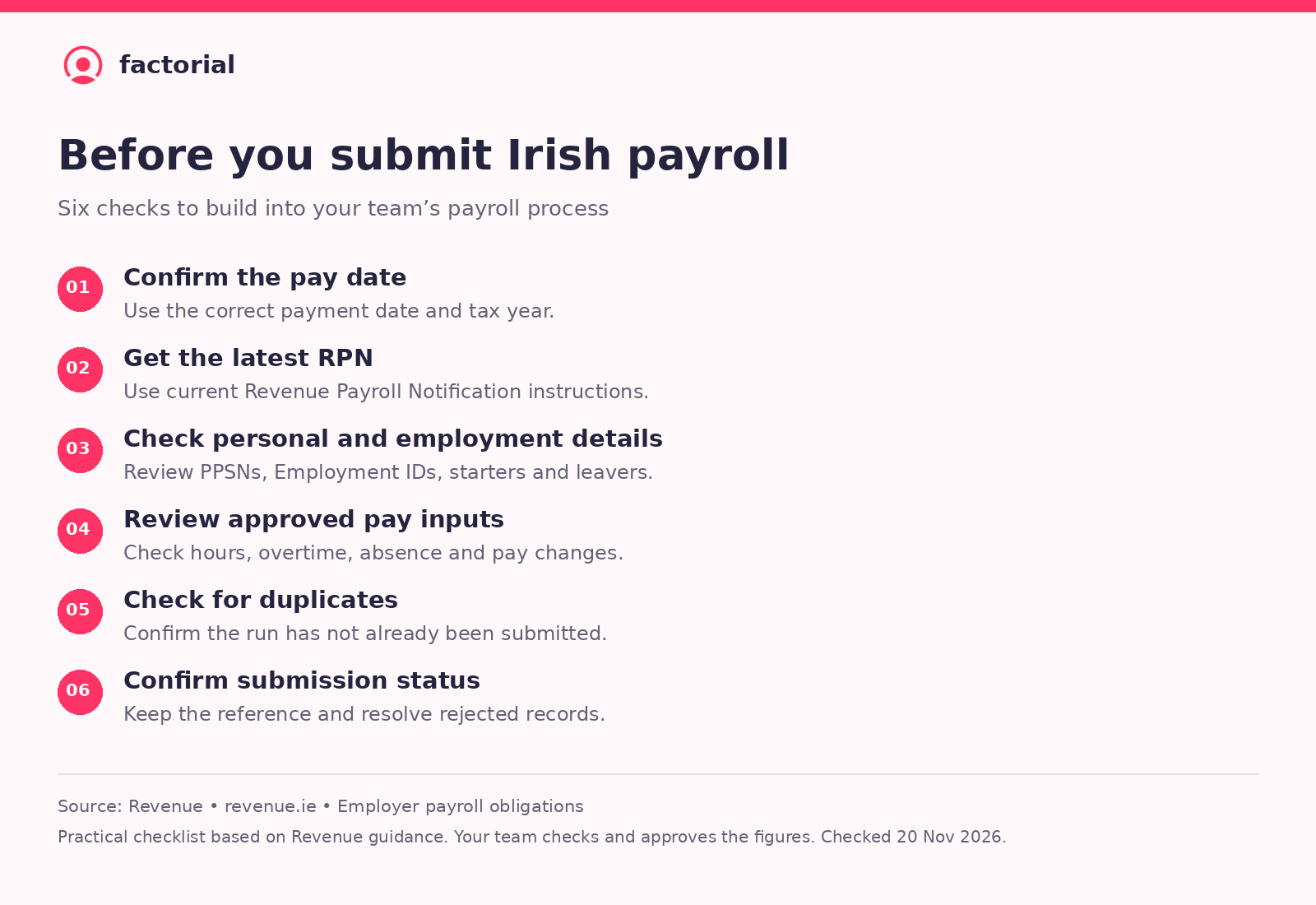
1. Using the wrong pay date
The month the work was done is not necessarily the month in which the payment belongs for payroll reporting.
For example, overtime worked in November but paid in December should be processed using the applicable rules for that December payment. Check the actual pay date rather than copying the date from the timesheet.
2. Missing the latest Revenue Payroll Notification
A Revenue Payroll Notification (RPN) provides the instructions used to calculate a person’s Income Tax, USC and any LPT deduction. Obtain the latest available RPN before running payroll.
Tax credits or other instructions may change during the year. Reusing an old record can leave someone paying the wrong amount of tax.
If an RPN is unavailable, follow Revenue’s emergency tax rules where required. Do not guess tax credits or copy another person’s settings.
3. Entering incorrect personal or employment details
Check the Personal Public Service Number (PPSN), employment start date, leaving date and Employment ID. The Employment ID distinguishes separate employments with the same employer.
According to Revenue, these identifiers and dates form part of the information needed for payroll reporting.
Avoid creating a new employment record simply because you have changed payroll software. Check existing records first, particularly when moving between providers.
4. Submitting the same payment twice
A duplicate submission can make reported pay or deductions appear higher than they should be.
This can happen when two people both submit the same run, or when someone sends a fresh submission after receiving an unclear response. Before resending, check the submission status in your payroll system and ROS.
Give one person responsibility for confirming submission. Record the payroll run reference so others can identify the correct run.
5. Missing approved hours, absences or pay changes
Payroll can only reflect the information it receives. If approved overtime stays in a manager’s inbox, the person may be underpaid even when the payroll calculation itself is correct.
A consistent process for tracking absences also helps you identify leave that may affect pay. Apply Irish rules and your own agreed policies when deciding the payment treatment.
6. Failing to check the monthly statement
A successful submission does not replace a month-end review. Compare Revenue’s statement with your payroll records and investigate differences before accepting it.
Check whether an unexpected total comes from a duplicate, a missing submission, an incorrect date or a correction that has not yet been reflected. If you identify a mistake, the right correction depends on whether the payment or only the report was wrong.
How do you correct an Irish payroll submission?
You can correct payroll reporting through your payroll software or ROS, but first establish what actually happened. A reporting mistake needs different treatment from an underpayment or overpayment. Separating the two helps you avoid changing a record that correctly describes the original payment.
When the report is wrong
Suppose you paid someone €2,800 but reported €28,000. The payment was correct; the submission was not.
Follow the correction process so the amended entry replaces the incorrect one. The Revenue guide explains how corrections link to the original submission and update the reported totals.
When the payment is wrong
Suppose someone received their normal pay, but approved overtime was left out. That is an underpayment.
Revenue’s guidance generally places the payroll adjustment for an underpayment or overpayment in the next payroll. Coordinate the correction with your payroll provider and explain the payment arrangements to the person affected. Check the contractual and legal position before recovering an overpayment.
For either type of correction, keep a short record of:
- What was wrong and how you identified it.
- The original payment and submission references.
- The corrected figures and relevant dates.
- Who checked and approved the correction.
- Whether it changed a previous monthly return or liability.
If you miss a submission deadline, act promptly rather than waiting for the next monthly statement. Check the correct submission process, retain the actual payment date and resolve any associated tax payment issue.
Late reporting and late payment are separate matters. Revenue can apply penalties for reporting failures, while overdue tax can attract interest. The outcome depends on the circumstances; there is no single automatic charge that describes every missed deadline.
Payroll corrections are only part of the picture, because some non-taxable payments have separate reporting requirements.
Do expenses and benefits have separate reporting deadlines?
Ireland’s Enhanced Reporting Requirements (ERR) cover certain non-taxable expenses and benefits, with reporting due on or before the payment date. Check this separately from your normal payroll submission so payments made outside the pay run are not missed.
According to Revenue, the categories include:
- Benefits provided under the small benefit exemption.
- The remote working daily allowance.
- Specified travel and subsistence payments.
For example, finance might reimburse qualifying business travel between monthly paydays. That payment needs its own reporting check rather than automatically waiting for the next salary run.
Keep the payment date, amount, category and supporting evidence together. Agree who reviews the tax treatment, who submits the ERR information and who checks completion.
Do not assume every expense belongs in ERR or that every benefit is tax-free. Check the conditions for the specific payment.
This is also why payroll preparation should connect with expense approvals: both teams need to know what was approved and when it will be paid.
Before the first payroll of a new year, add one further check for the tax-year transition.
What should you check before submitting payroll for 2027?
For 2027 payroll, check the payment year, the relevant RPN and the identifiers carried forward from 2026. Revenue has published specific transition guidance, so build these checks into your year-end plan before processing January pay.
According to Revenue:
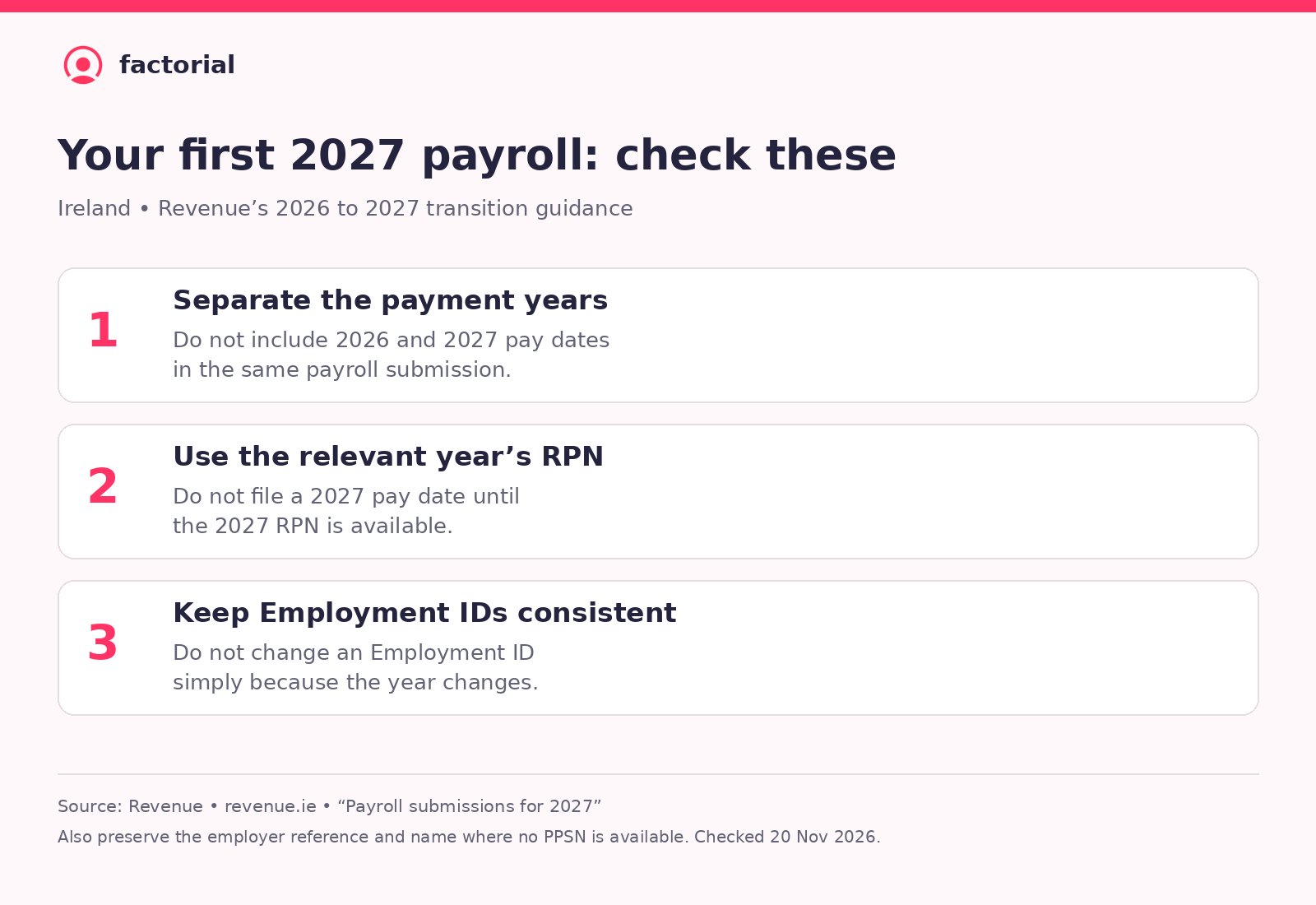
- You cannot include 2026 and 2027 payment dates in the same submission.
- You should not submit payroll with a 2027 pay date until the 2027 RPN is available.
- You should not change someone’s Employment ID simply because the year changes.
- Where someone has no PPSN, the employer reference and name need to remain consistent across the transition.
Ask your payroll provider when the required software updates and RPN checks will be completed. Test access and agree who will be available during the first pay run of the year.
If you operate in both Ireland and the UK, keep the tax calendars separate. Irish payroll follows Revenue’s requirements; UK payroll dates and HMRC processes should not be copied into the Irish timetable.
These checks work best when the underlying hours, approvals and pay changes are easy to find, which is where Factorial can support your preparation.
How can Factorial help you prepare for Irish payroll deadlines?
Factorial helps you bring the information behind payroll together, so your team can spend less time chasing changes and more time checking them. Factorial is the AI for business that knows, connects and unlocks your company’s potential, connecting work across HR, finance and IT.
For Irish payroll, start with the records and approvals that need to reach your payroll provider:
- Bring pay inputs together: Factorial Compensation helps organise payroll variables for review. Keep approved changes and effective dates clear before preparing the handover.
- Keep hours and absence information organised: Time Tracking and Time Off help your team maintain the records used to check overtime, attendance and leave affecting pay.
- Make information easier to find: One, your personal AI agent at work, can help you find company guidance and summarise information you have permission to access. For example, ask One to summarise your payroll cut-off policy before sending managers a reminder. You set the rules; One follows them.
- Give people access to their records: HR self-service helps people find documents and check information without relying on repeated emails to HR.
Your Irish payroll system or provider still needs to calculate deductions, use the correct RPNs and submit the required information to Revenue. Agree how Factorial’s reviewed records will reach that process and who will check the handover. Request a free Factorial demo to see how your team can organise payroll inputs, reduce repeated data entry and make more time for your people.
FAQs about payroll submission deadlines in Ireland
Your business sets its own payroll cut-off. It should allow enough time to approve changes, prepare payroll and meet banking and Revenue deadlines. Publish the date each pay period and explain how managers should raise urgent changes that arrive afterwards.
For employer payroll, there are several deadlines: report on or before payday, check the monthly statement before the 14th, and pay by the applicable payment deadline. The annual personal Income Tax filing deadline is a separate obligation and does not replace these payroll dates.
Submit the missing information promptly through the appropriate process and check whether the monthly return needs updating. Keep a record of what happened and address any unpaid liability separately. Reporting failures can lead to penalties and late tax payments can also attract interest.
You need to finish early enough to pay people as agreed and report to Revenue on or before payday. Remember that your bank or payroll provider may need files earlier, so confirm their timetable.
Your bank, payroll provider and internal approval process may each have one. Agree these times in advance and allow a buffer so a rejected file or missing approval can be resolved before payment.