Managing documents gets harder as your business grows. Files end up in email threads, shared drives, folders, and different tools, which makes it easy to lose track of the latest version or spend too much time searching for what you need.
Document management software helps keep everything in one place. It can make it easier to store, organize, share, and control access to important files.
In this guide, we look at 7 of the best document management software options for 2026, including their key features, strengths, and who they may be best for.
Key Facts
- The best document management software for UK SMEs combines secure storage, document version control, searchable records and retention controls.
- The UK Government reports that 43% of businesses identified a cyber security breach or attack in the previous 12 months, affecting an estimated 612,000 businesses.
- The UK Government estimates that 20% of businesses experienced cyber crime, equivalent to about 283,000 businesses.
- Use four selection checks: version control, search, retention and access permissions. The ICO expects documented records-management processes and appropriate version control.

What is Document Management Software?
The origin of Document Management Software (DMS) dates back to the early days of computing, when businesses sought efficient ways to manage paper-based documents.
While the concept of managing documents electronically emerged in the 1980s, it was during the 1990s that DMS solutions started gaining traction.
- 1980s: Early digital document storage and retrieval systems aimed to store electronic files in hierarchical folder structures.
- 1990s: As personal computers and internet access expanded, document management systems evolved rapidly.
- Early 2000s: Businesses created growing volumes of digital data, and OCR made scanned content searchable and editable.
- Mid-2000s: Cloud DMS platforms made documents accessible and collaborative through internet-connected services.
- Late 2000s to 2010s: DMS platforms increasingly integrated with CRM, ERP and productivity tools, improving document-related workflows.
- Today (2026): DMS continues to enable companies to manage their documents efficiently. AI and machine learning enable document categorization, data extraction, and automated workflows.
For an introduction to the topic, read our article on employee records management.
What is Document Management Software today
Document Management Software today represents the pinnacle of efficiency and organization, enabling businesses to transition into a paperless future, reduce operational costs, and optimize productivity across the board.
Key Features of Document Management Software:
- Centralized Document Storage: DMS provides a centralized repository for all types of documents, from text files to multimedia content.
- Document Version Control: Advanced versioning features allow users to track changes, manage revisions, and access previous iterations of documents. This ensures a clear audit trail and preventing data loss.
- Advanced Search and Retrieval: Powerful search algorithms and metadata tagging enable quick and accurate document retrieval, saving valuable time and effort previously spent searching through physical filing systems.
- Collaboration Tools: Comments, annotations, and document sharing optimize productivity and build efficient communication among users via real-time collaboration features.
- Security and Access Control: DMS prioritizes data security, employing encryption, user authentication, and role-based access control to safeguard sensitive information from unauthorized access.
- Integration with Third-Party Apps: Today’s DMS smoothly integrates with various business applications, enabling smooth data exchange between systems and eliminating data silos.
- Automation and AI: AI and automation have revolutionized DMS, automating tasks such as data extraction, content categorization, and workflow automation.
- Mobile Accessibility: The DMS is truly flexible and user-friendly thanks to mobile apps and responsive interfaces.
As technology continues to advance, DMS will undoubtedly evolve further, continually enhancing the way we manage and interact with our work documents.
How should UK SMEs choose document management software?
UK SMEs should assess document management software against records governance, document control, retrieval, retention and access controls before choosing a platform. The UK Government’s 2025 Cyber Security Breaches Survey found that 43% of businesses identified a breach or attack in the previous 12 months.
| Selection criterion | What to verify |
|---|---|
| Document version control | The ICO expects appropriate document and version control. |
| Search | The ICO recommends search functionality and metadata to locate electronic records quickly. |
| Records retention schedule | The ICO expects documented retention schedules for personal information. |
| Access | The NCSC advises organisations to control and monitor access to systems and data. |
For HR records, a dedicated document management software platform can reduce reliance on shared inboxes and disconnected folders by keeping employee documents in a central workspace with controlled access.
Let’s look at the 7 Best Document Management Software for 2026:
How this comparison was assessed
The tools below are assessed by their document-management focus, storage and retrieval controls, workflow capabilities, integrations, electronic signature software options and suitability for small and medium-sized businesses. Product suitability depends on the organisation’s document volume, data sensitivity and existing software stack.
1. Factorial: AI-powered document management software for SMEs
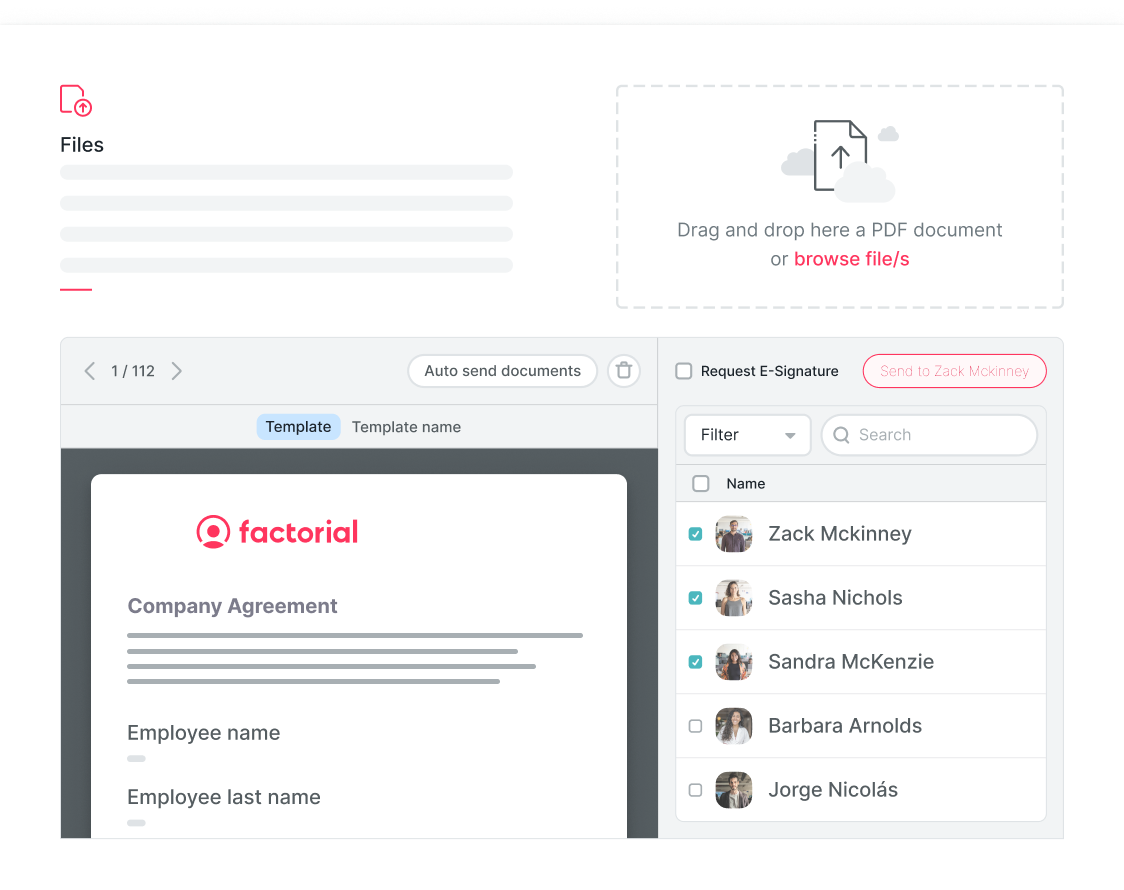
Factorial’s Document management software offers a comprehensive and secure solution for efficiently managing all company and employee documents.
Trusted by over 17,000 companies in more than 65 countries, this platform simplifies document organization and centralization, making collaboration and compliance easy.
PROS
- Organized Employee Documents: HR teams have easy access to pay slips, contracts, leaves, IDs, and other essential employee documents thanks to the meticulous organization.
- Custom Document Folders: The repository is structured and user-friendly, with custom folders for different document types. Employees are notified when new documents are available.
- Effortless Bulk Uploads: Uploading documents in bulk is made simple, saving time and effort for users dealing with large volumes of data.
- Centralized Company Documents: Documents related to the business can be centrally located, allowing for easier sharing with employees.
- Digital Signatures: Sign legal documents electronically while complying with legal standards with secure digital signatures.
- Document Workflows: Simplify internal processes by creating document approval workflows.
- Customizable Fields: Generate insightful reports and enhance document data using custom fields.
- Document Permissions: Limit access to authorized employees and managers to ensure data privacy.
- Robust Security: All documents are protected and confidential with Factorial’s powerful encryption and users-based access.
CONS
- Factorial is designed primarily for small and medium-sized businesses.
- The platform boasts a user-friendly and intuitive interface. However, in certain cases, especially when integrating with external APIs, it might be necessary to contact support.

2. Confluence: Capture and Organize Your Most Valuable Assets
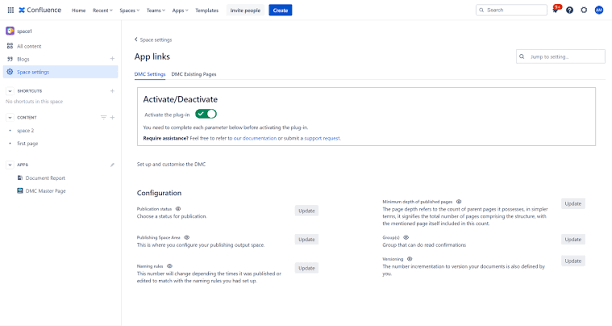
Confluence is a project management solution that enables organizations to create, collaborate, organize, and review project documents.
Its editor allows users to create meeting notes, product requirements, and research reports, with managers providing feedback.
Managers can restrict access to confidential data and collaborate within closed groups with Confluence’s knowledge management module.
This task management feature allows delegation, tracking, and monitoring of task changes, providing managers with project transparency. It integrates with JIRA for project transparency.
PROS
- Planing and designing features is easy thanks to the smooth integration with Jira.
- While the costs of the plugins can start to add up if they are used, they are worth it in the long run.
- Document syncing that is great for online collaboration. Great permission management to protect confidential information.
- A great feature of the documentation is that you can do almost anything with it by using an internet browser.
CONS
- The program Confluence is not intuitive and learning to navigate it properly takes some time.
- Having multiple links on the same page (both long and short) makes Confluence a little confusing.
- It can be confusing for new users when it comes to Confluence syntax.
- It’s difficult to copy and paste information from Confluence into other software without the editing causing problems.
3. PandaDoc: An All-in-One Tool to Create, Edit, Send, Track, and eSign Documents
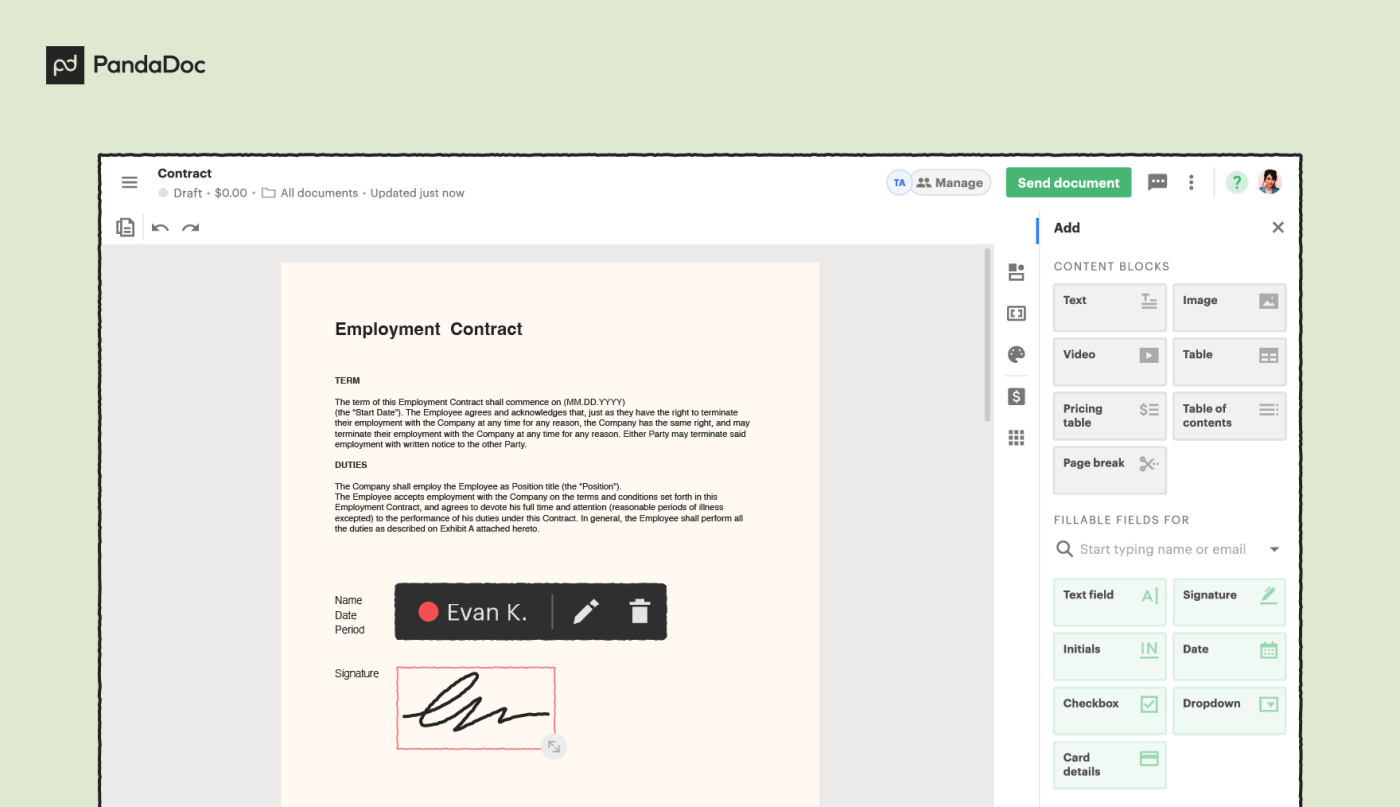
PandaDoc is a cloud-based all-in-one document management tool designed to simplify the process of creating, editing, sending, tracking, and eSigning documents.
With a wide range of proposal templates and features like collaboration, e-signatures, and CRM integration, it helps sales and marketing teams create professional-looking documents quickly.
PandaDoc lists Starter at US$19 per seat per month and Business at US$49 per seat per month, excluding applicable taxes. PandaDoc also integrates with platforms including Salesforce and HubSpot.
PROS
- It is easy to customize the templates and allows you to create stunning designs with little effort.
- One of the best aspects of Pandadoc is that it is very easy to edit services as you fill it out.
- Document organization and storage made easy. Once you log into your account, you can see the status of all your documents.
- The free version provides everything that most other similar services have in paid versions and those features are enough for small businesses to get started.
CONS
- Some customers are experiencing spam issues with their emails.
- It is often inaccurate when it picks out the fields to fill up automatically in a form.
- The cost of PandaDoc might be prohibitive for small businesses or individuals with simple needs.
- The signing process should be automated at set times until all parties are satisfied.
4. Jotform: Automate Your Signable Documents
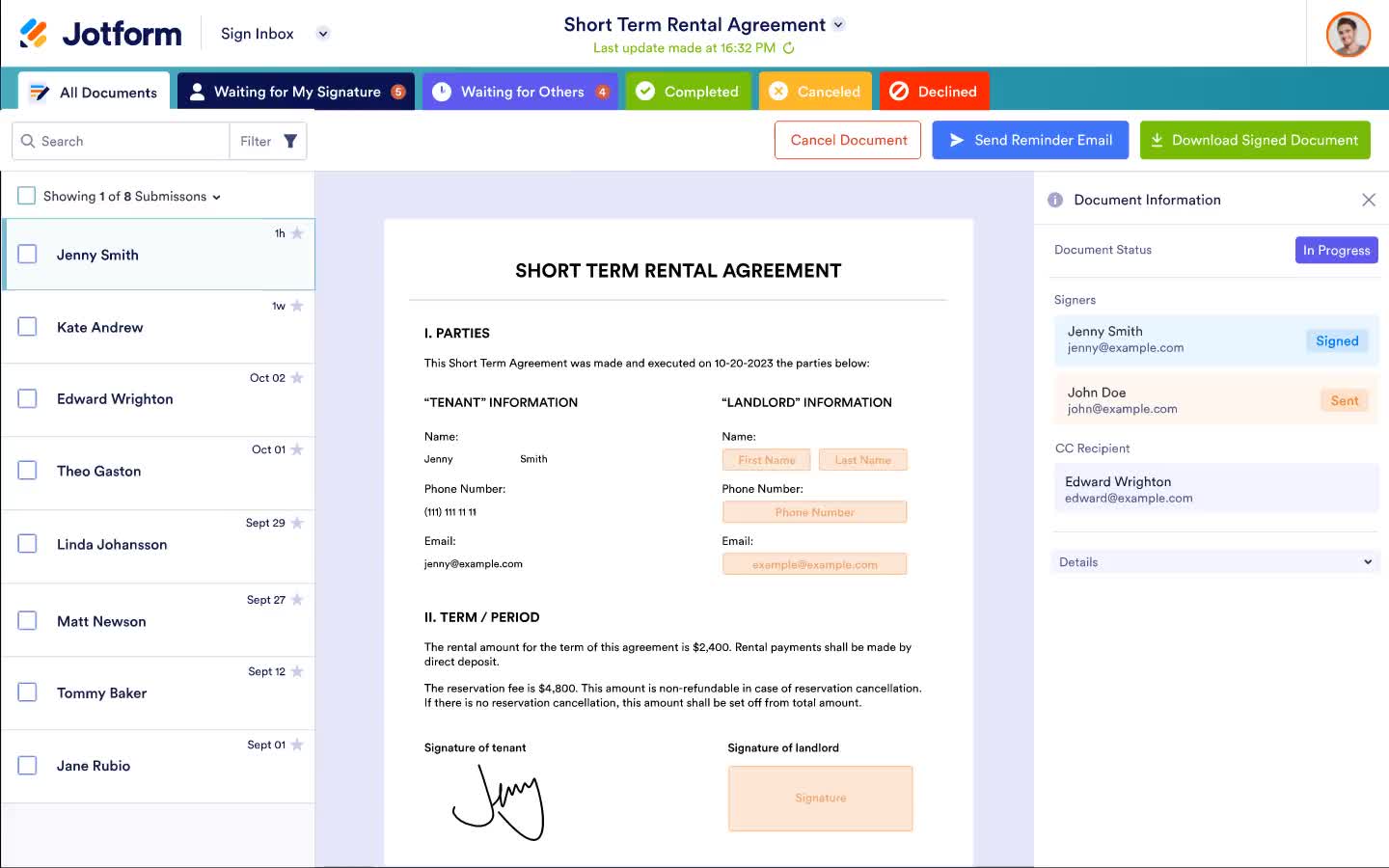
Using Jotform, users can generate leads, collect payments, conduct surveys, manage job applications, and register event attendees.
Using the form builder, you can add emojis, icons, animations, and video backgrounds to one-page surveys.
Jotform integrates with popular platforms like PayPal, Google Drive, Dropbox, MailChimp, SalesForce, and more through plugins.
Users can enhance their forms with various widgets, such as checklists, image sliders, and date selections.
Jotform offers monthly subscriptions with support via email, chat, training videos, and an online support forum.
PROS
- You can format the answers in PDF format once they have been submitted.
- The ease of use of the form building process – with drag-and-drop options, excellent customer support, and regular updates to improve the form building process.
- As a platform, Jotform is very easy to use, as it offers a variety of templates to work with, as well as an endless number of widgets and plugins to add to your forms.
- If you are looking to capture information, this is an extremely powerful tool due to the conditional form fields and calculations.
CONS
- There are times when it is difficult to upload images into the document for submission.
- As compared to other available solutions, the license for this software is relatively expensive.
- Despite offering support through email and a help center, there have been instances when users have not received timely responses or solutions.
- There is a lot of work involved in finding the right template, theme, and personalizing them.
5. Wrike: Simplify Your Document Workflow Management
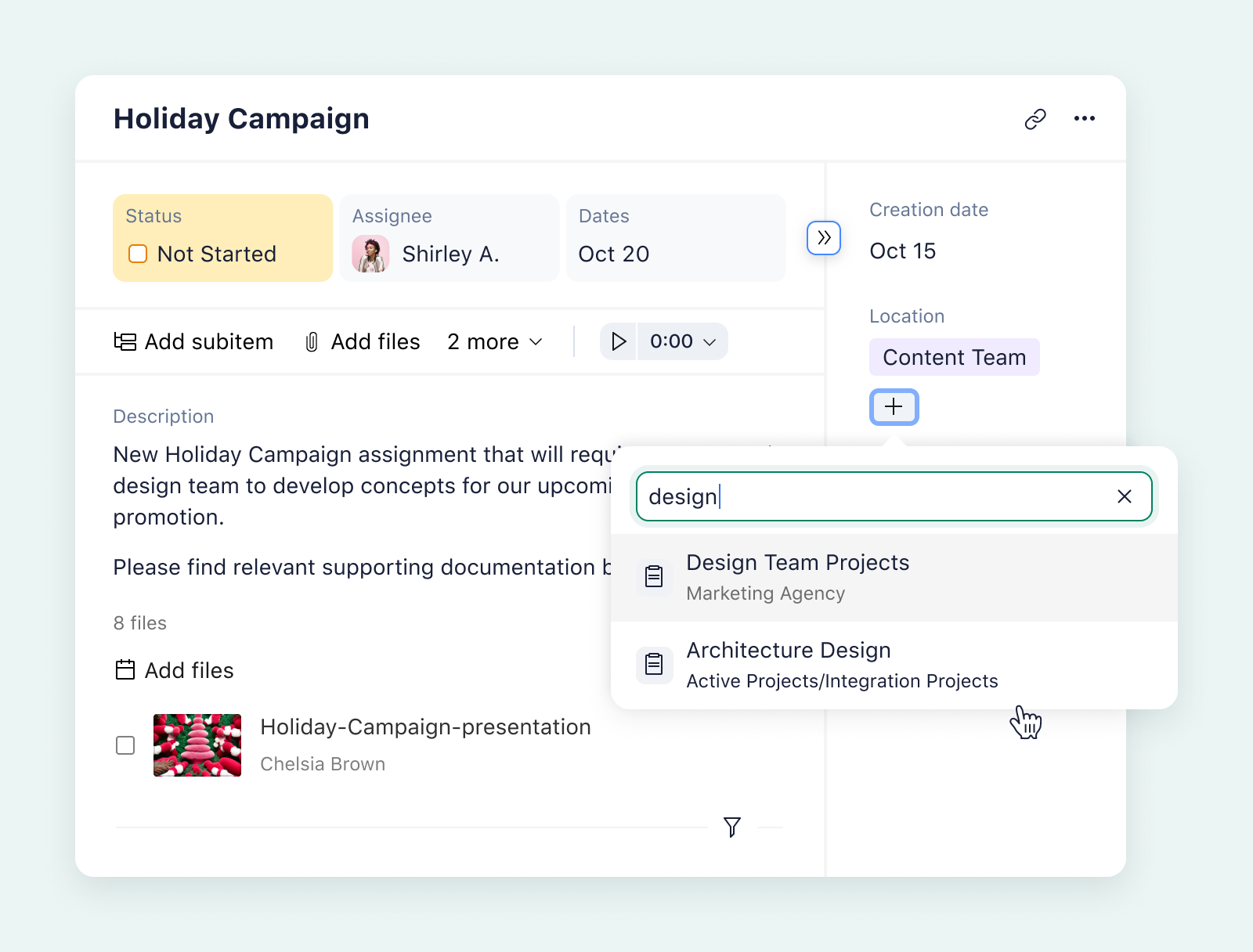
In addition to being a powerful work management platform, Wrike is built for teams and organizations looking to collaborate, create, and exceed every day. With Wrike, all work is in one place to reduce complexity, increase productivity, and free up employees to focus on what matters most to them.
In an increasingly competitive marketplace, Wrike has the power, versatility, and intuitiveness to scale, optimize, and move quickly.
PROS
- The task management features are excellent, and it’s a good tool for collaborating with internal teams.
- All the features are fantastic, including time tracking, formulas, reports, custom fields, internal rate cards, etc.
- Setting up custom dashboards for employees, with tasks grouped into widgets tailored to processes and workflows, is a great way to increase efficiency.
- You can easily customize your processes with the tool since it is very intuitive.
CONS
- Different views are available, which is nice, but each view has its own information to see, which can be challenging.
- Currently, it is not possible to reassign an author and has been requested to be implemented.
- It is possible for updates and information to get lost in the shuffle if comments are allowed on both the Project level and on each individual Task.
- It would be helpful to have additional storage per user to hold all the documents for each project over time. It would also be helpful to archive to save space.
6. DocuWare: Document Management Software with Integration Options
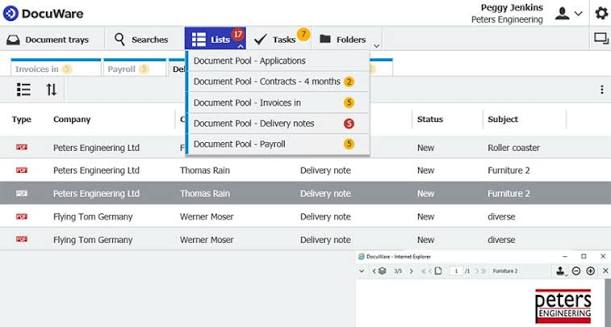
DocuWare is a versatile document management solution ideal for businesses using multiple software applications. Its smooth integration ensures consistency and organization, providing real-time updated data. Automation simplifies day-to-day tasks, freeing up valuable time for more important projects.
With integration capabilities for over 500 applications, DocuWare caters to various industries, automating document tracking and enhancing work output. The support for different integration methodologies, including deep API-based and point-and-click integrations, makes it highly adaptable.
Dedicated connectors for SAP, Outlook, and other leading platforms add to its convenience and utility. DocuWare is a powerful tool to optimize document management and workflow efficiency.
PROS
- DocuWare can suit businesses that use multiple software applications, including accounting and finance systems.
- It provides APIs (application programming interfaces) and point-and-click integrations with more than 500 applications.
- There is always another file online on the backup disk in case of a problem with file access due to Docuware’s rapid syncing abilities.
- Documents can be scanned and automatically routed to the appropriate staff member or department with the ability to scan and route them.
CONS
- Larger businesses may not be able to use the basic plan because it only offers 20GB of storage.
- Docuware does not support complex logic, so creating a complex workflow is challenging.
- There’s deficiency in tutorials available on vendor website.
- Support isn’t as helpful and permissions aren’t centralized.
7. DocuSign: Automate how you prepare, sign, act on and manage agreements
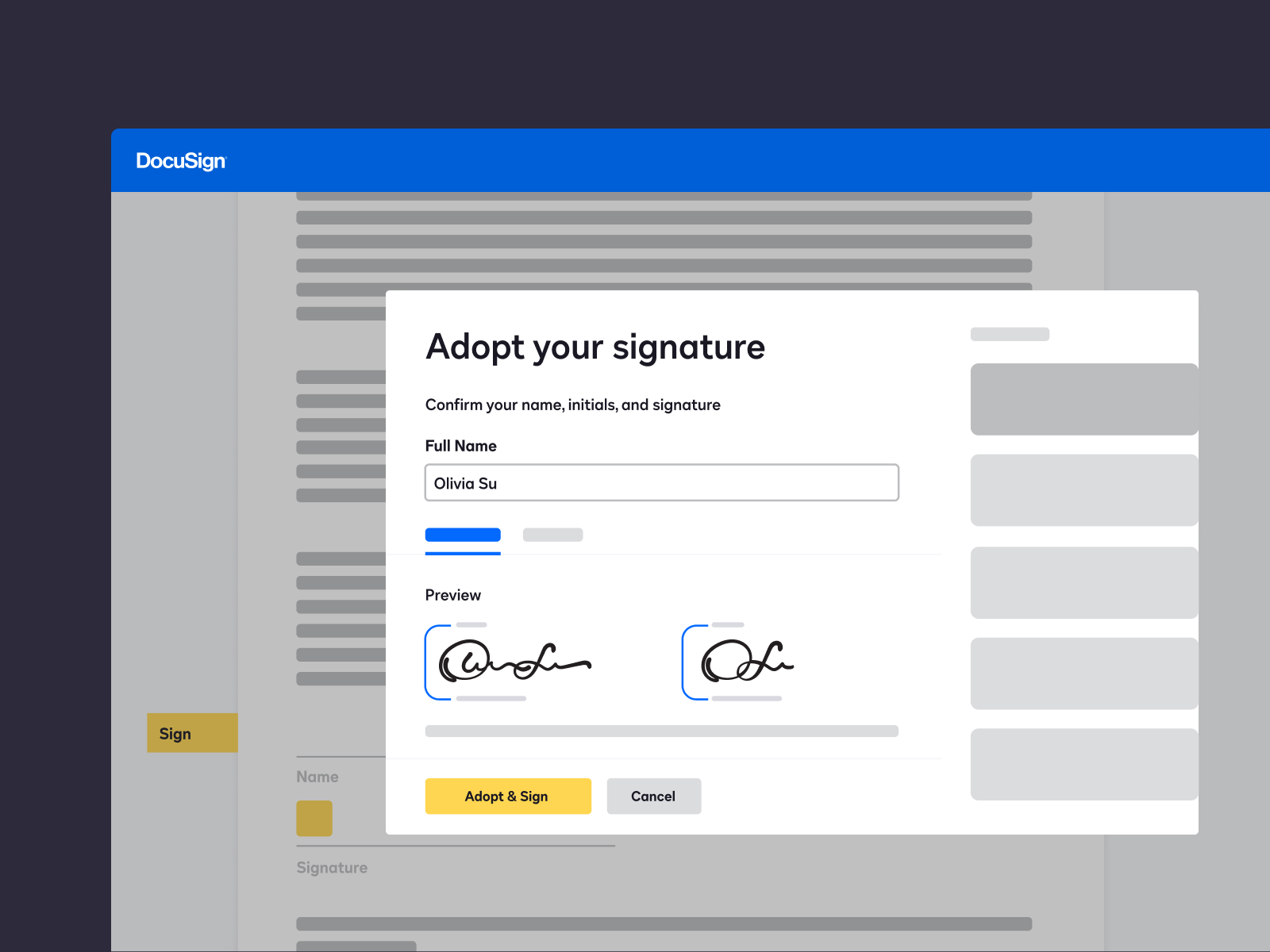
DocuSign is a platform that supports agreement processes for organisations worldwide. As part of the DocuSign Agreement Cloud, it offers eSignature, allowing users to sign electronically on any device, from anywhere, at any time.
With over a million customers and a billion users across 180 countries, DocuSign accelerates business transactions and simplifies lives. Its benefits include rapid, trackable agreement processing, improved customer satisfaction through a smooth signing experience, standardized agreement procedures, time-saving automation, enhanced agreement accuracy, and smooth integration with existing business systems.
DocuSign revolutionizes the way agreements are prepared, signed, and managed, enhancing efficiency and productivity for businesses of all sizes.
PROS
✅ You find the platform to be incredibly convenient, secure, and user-friendly, allowing you to sign, send, and manage your job offer letters digitally.
✅ It offers the added advantage of tracking and securing the information you share with your recruiter, making the whole process efficient and hassle-free.
✅ Remarkable capability to smoothly integrate with other third-party software solutions used in your organization.
CONS
❌ Customer service might not be the best.
❌ Sometimes, customers prefer to sign manually.
❌ It should be more visually intuitive for new users.
The information presented on this page is based on publicly available sources, but not limited to,, start.docuwave.com, Capterra public reviews, G2 public reviews, and Trustpilot public reviews. The comparisons between Factorial and other providers, are intended solely for the illustration of the respective software features, pricing and functionalities. All information regarding features, prices, and integrations may be subject to change without prior notice. Factorial assumes no liability for the accuracy, completeness, or timeliness of the information presented. We recommend contacting the respective providers directly to obtain the most accurate and up-to-date information. The comparisons presented do not constitute a final evaluation or recommendation for any provider, but serve solely as an informational source.
FAQ
What is the best document organizer software?
The best document organizer software centralizes all files, provides robust security, and includes features like version control and digital signatures. For small and medium businesses, an all-in-one business management software like Factorial offers a comprehensive solution for efficiently managing company and employee documents in one place.
What is the best free app for managing documents?
While some apps offer limited free versions, the best solutions provide secure, centralized storage and integrate with other business functions. Many comprehensive platforms offer a free trial to test their full suite of document management features, which is ideal for finding the right long-term fit for your business.
Does Microsoft 365 have a document management system?
Yes, Microsoft 365 includes document management capabilities through applications like SharePoint and OneDrive for file storage and collaboration. However, dedicated systems often provide more advanced, specialized features like automated HR workflows, digital signatures, and granular access controls for business-critical documents.
What is the best document management software for personal use?
For personal use, the best software is typically a simple cloud-based storage solution that allows for easy organization and access across devices. Business-oriented systems are often too complex for individual needs, which are better served by straightforward file storage and sharing applications.
What are the top 10 document control software?
Top document control software provides key features like a centralized repository, version tracking, secure access permissions, and collaboration tools. A leading option like Factorial, an all-in-one business management software, also integrates document workflows and digital signatures to ensure compliance and simplify operations.