Every business needs to keep certain information about its employees. This includes things like contracts, salary changes, holiday records and training. But what exactly should you keep in an employee’s personnel file? This personnel file checklist explains exactly which documents UK employers need. For more information on how to keep employee files organised and how to protect sensitive employee information, read our guide to employee records management.
What is a personnel file?
A personnel file is a collection of documents and information about an employee and their time working for your business.
It contains all of the paperwork and information you start collecting when you hire someone and the personnel file grows as they work for you. For example, you might first add their job offer and employment contract. Later, you could add salary changes, training certificates and performance reviews. When the employee leaves, you may also need to keep documents about their resignation or final pay.
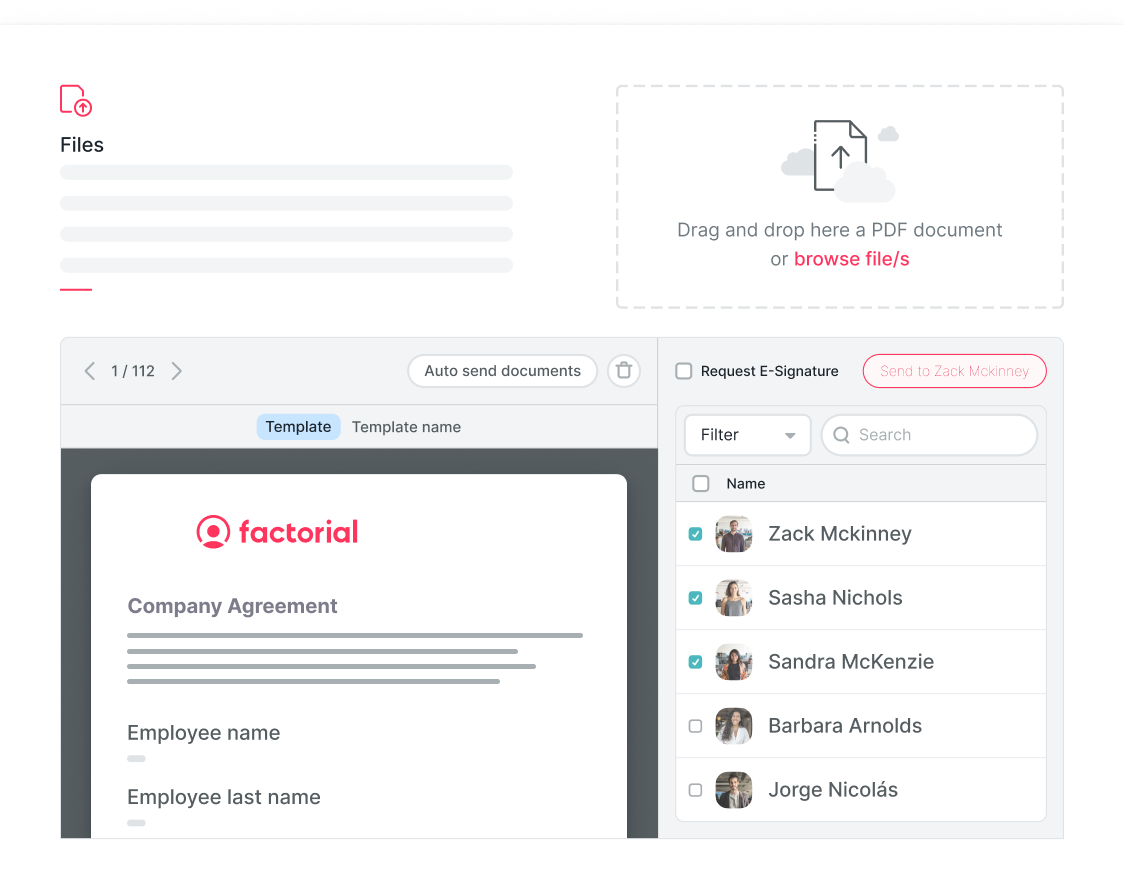
Another name you might also hear people call an employee personnel file is simply “employee file” or “HR file.” These all mean the same thing, in general. The important thing is to keep the information organised, up to date and secure, which is a lot easier with document management software. Factorial is an AI business management platform that you can use to connect HR, finance, and IT tasks and collect and organise information from all areas of your organisation so you can find it by simply asking One, a personal AI agent for work created by Factorial.

Personnel file checklist at a glance
Not sure what to include in a personnel file? Here’s a quick overview of the main documents you may need.
| Category | Documents to keep |
|---|---|
| Personal information | Name, address, contact details and emergency contact |
| Recruitment | CV, application, interview notes, references and job offer |
| Right to work | Evidence of right-to-work checks |
| Employment | Employment contract, working hours and agreed changes |
| Pay and benefits | Salary information, pay changes and pension details |
| Holiday and absence | Holiday, sick leave and other absence records |
| Performance | Performance reviews, probation and development plans |
| Training | Training records, qualifications and certificates |
| Employee relations | Disciplinary and grievance records, where needed |
| Job changes | Promotions, new roles and changes to working arrangements |
| Leaving | Resignation letters, termination documents and final employment records |
What does an employee personnel file include?
An employee personnel file contains important information about someone and their time working for your business. This includes everything from their personal details and employment contract to salary changes and performance reviews. Here’s a checklist of the main documents you may need to keep. During onboarding is the best time to collect most of this information. Ask your new starters to fill in their details and save it.
1. Personal and contact information
Start with the basic information you need about each employee. This data can be added to your organisation’s employee directory.
This can include:
- Full name
- Home address
- Phone number
- Personal email address
- Employee number
- Job title
- Department and manager
- Start date
- Emergency contact details
Make sure this information stays up to date. For example, if an employee moves house or changes their emergency contact, their details should be updated. You should also make sure that only people who need this information can access it. Software like Factorial, for example, lets you set user permissions to maintain control over security, which is important for GDPR.
2. Recruitment records
When you hire someone, you’ll usually collect documents during the recruitment process.
These might include:
- Job application
- CV and cover letter
- Job description
- Interview notes
- References
- Qualification checks
- Job offer
- Offer acceptance
Because this information may also be saved in the HR file, it is best to keep your interview notes clear and professional. For example, it’s better to write that a candidate doesn’t have experience with certain software than to say they didn’t seem like a good fit. Once someone joins your business, check which recruitment documents you still need and remove anything unnecessary.
Our guide to employee onboarding best practices explains how to make this process easier.
3. Right-to-work records
UK employers must check that employees have the legal right to work in the UK. You need to keep evidence that the correct check was completed. Depending on the type of check, this could include copies of documents or online check results.
According to GOV.UK, documents proving right-to-work need to be kept while the employee works for you and for two years after they leave. Some employees may also need another check if their permission to work in the UK has an expiry date.
Make sure these records are stored securely in the employee file because they can contain personal information, such as passport or immigration details.
4. Employment contracts and working arrangements
You should also keep documents that explain the agreement between your business and the employee in their personnel file.
These may include:
- Employment contract
- A written statement of employment terms
- Signed job offer
- Changes to the contract
- Salary change letters (for example wage increase letters)
- Changes to working hours
- Flexible working agreements
- Promotion letters
- Workplace policy documents
It’s also useful to keep older versions of documents when you still need proof of previous agreements. For example, if an employee has received several promotions, you may need a record of when their job title and salary changed.
Using digital signatures can make collecting and storing these documents easier. Read our guide to e-signatures to learn more.
5. Salary, payroll and pension information
Personnel files should also include important information about employee pay and benefits.
This could include:
- Current salary
- Salary changes
- Bonuses and commission
- Employee benefits
- Pension membership
- Agreed deductions, where needed
However, you shouldn’t give everyone access to sensitive payroll information. For example, an employee’s manager may need to know their salary, but they probably don’t need to see their bank details. Keep sensitive financial information in a secure place where only authorised HR, payroll or finance staff can access it.
6. Holiday, sickness and other leave records
Employers also need to keep track of employee holidays and absences.
These records can include:
- Holiday entitlement
- Holiday taken
- Sick leave
- Maternity leave
- Paternity leave
- Adoption leave
- Shared parental leave
- Other types of statutory leave
- Unpaid leave
Keeping these records up to date helps you know when employees are away and manage their leave correctly. However, not all documents need to be shared and medical information and documents need extra protection. For example, a manager may need to know when someone is expected to return from sick leave, but they don’t need access to their medical reports.
7. Probation and performance records
It’s also useful to keep records of employee performance and development.
These may include:
- Probation goals
- Probation review notes
- Confirmation that probation was passed
- Performance appraisal documentation
- Employee objectives
- Feedback
- Development plans
- Performance improvement plans
- Promotion decisions
These documents can help you see the progress an employee has made and what support they’ve received. Make sure any feedback is clear and fairly based on facts rather than on personal opinions.
8. Training and qualifications
If employees complete training or need qualifications for their jobs, you should keep a record. This can include training courses, professional certificates, qualifications, health and safety training and other mandatory training. The employee personnel file should also include training agreements.
It’s also useful to keep track of expiry dates. For example, if an employee needs to renew a qualification every few years, you’ll know when they need to complete it again. You can also set automatic reminders for when certificates are due for renewal with software like Factorial.
9. Disciplinary and grievance records
Sometimes businesses need to deal with employee complaints, disciplinary issues or workplace disagreements and any important documents these result in must also be added to the personnel file.
When this happens, you may need to keep:
- Investigation notes
- Meeting records
- Disciplinary warnings
- Final decisions
- Appeals
- Grievance documents
These records can contain sensitive information, so only people who need them should have access. Keep the information factual and professional. You should also have clear rules about how long these records need to be kept, unless specified by law.
10. Changes during employment
Employees often change roles, get promoted or receive salary increases while working for a business.
Keep a record of important changes, such as:
- Promotions
- New job titles
- Department changes
- Salary increases
- Changes to working hours
- Flexible working arrangements
- New work locations
- Changes to employee benefits
This gives you a clear history of the employee’s time with your business without having to search through old emails or documents.
11. Records to keep when an employee leaves
When someone leaves your business, there may still be documents you need to keep.
These can include:
- Resignation letter
- Notice period confirmation
- Termination or dismissal documents, if relevant
- Final working date
- Exit interview notes
- Company equipment return records
- Final holiday and pay information
- Settlement documents, if relevant
However, you shouldn’t keep an employee’s entire file forever. Once they leave, check which documents you still need and securely delete those you no longer have a reason to keep. Software access and equipment they need to return once they leave the company will also be saved in the personnel file, making it easier to handle these processes.
What information should be kept separately?
Not every employee document should be available in a personnel file to everyone in HR or management. Some information is more sensitive and needs extra protection.
- Medical information: Medical reports, fit notes and information about disabilities should have restricted access. Only people who genuinely need this information for their jobs should be able to see it.
- Equality and diversity information: Information about an employee’s ethnicity, religion, sexual orientation or other protected characteristics is sensitive. If your business collects it for a valid reason, it should be stored securely with limited access.
- Payroll and bank details: Bank details, tax information and detailed payroll reports should only be available to authorised staff who need them.
- Criminal record checks: If your business carries out criminal record checks, be careful about what information you keep and how long you store it.
- Complaints and investigations: Whistleblowing reports, complaints and sensitive investigations may contain private information about several employees. These documents should have stricter access controls.
Digital HR systems can make it easier to control who can see different documents. Our guide to HR database software explains more.
Should personnel files be paper or digital?
You can keep personnel files on paper or digitally. Both options are fine as long as the information is stored securely.
Paper files should be kept in locked cabinets that only authorised employees can access.
Digital files should be stored in secure systems with proper access controls.
If you’re using a digital system, useful features include:
- Secure document storage
- Different access permissions for different employees
- Document backups
- Document version history
- A record of changes, where available
- A way to delete documents securely
For example, keeping all employee documents in one shared folder that everyone can open isn’t a good idea, especially when those documents contain personal information.
If you’re looking for a digital solution, take a look at our guide to the best document management software.
Personnel file checklist for UK employers
Here’s a simple checklist you can use to make sure your employee records are organised and up to date.
| To Do | Add an X when done |
| Employee contact information is correct | |
| Job titles and departments are up to date | |
| Recruitment documents are stored where needed | |
| Right-to-work checks are recorded | |
| Employment contracts are available | |
| Salary and working hour changes are recorded | |
| Holiday and absence records are up to date | |
| Performance and probation reviews are stored | |
| Training and qualifications are recorded | |
| Disciplinary and grievance records are stored securely, where relevant | |
| Sensitive information has restricted access | |
| Old and unnecessary documents are reviewed | |
| Document retention periods are followed | |
| Only authorised people can access employee records | |
| There’s a process for securely deleting information you no longer need |
How Factorial can help you manage personnel files
Keeping employee documents organised can take a lot of time, especially when they’re spread across emails, spreadsheets and different folders. Factorial is an AI-first platform for business management that helps you keep employee information and documents in one secure place.
This, including the usual document management features, makes it easier to find contracts, update employee records and manage who can see sensitive information. It also connects everyday HR tasks, such as onboarding, holidays, training and performance reviews, so you don’t have to keep switching between different tools and it collects information from these areas of your organisation in a way that is safe and secure.
With One, Factorial’s AI agent, your team can also ask questions and find information from your business without having to search for it manually. One only shows employees information they’re allowed to see and works with the tools your team already uses. Request a free demo of Factorial to see how much time you can save!
FAQs about personnel files
A personnel file can include contact details, recruitment documents, employment contracts, salary changes, holiday records, performance reviews, training certificates and leaving documents. Sensitive information, such as medical records and bank details, should have stricter access controls.
UK employers must keep certain employee records, but there is no general rule saying everything must be stored in one personnel file. What matters is that you keep the records required by law and protect employees' personal information.
Yes. Employees can ask to see personal information their employer holds about them by making a subject access request. However, some information may be exempt or need to be removed before documents are shared.
You may need to keep certain medical information for work-related reasons, but it needs extra protection. Detailed medical records should generally have stricter access permissions than everyday HR documents.
You should update personnel files whenever important employee information changes, such as a new address, promotion or salary increase. It's also a good idea to review files regularly and remove information you no longer need.